Blog
Ecommerce Marketing Automation for New Stores
Published June 27, 2026
You're probably doing this by hand right now.
A new order comes in, so you send a confirmation. Someone signs up for your email list, so you try to remember to send a welcome message later. A shopper adds products to cart, disappears, and you tell yourself you'll follow up tonight after dinner. Then a customer asks where their package is, and your “marketing time” turns into support time.
That's the trap most new store owners fall into. The store can only grow as fast as the founder can keep up. If you're a solo dropshipper or running a small Shopify or WooCommerce store on the side, that usually means growth stalls long before demand does.
Ecommerce marketing automation is how you break that pattern. Think of it as your first digital employee. It doesn't replace your judgment. It handles the repeatable work you shouldn't have to do manually every day. It sends the right message after a signup, a purchase, or an abandoned cart, even when you're asleep or packing orders or answering customer emails.
The good news is you don't need a big budget, a developer, or some enterprise software stack to start. Most beginners should start with the free or built-in features they already have, get a few core workflows working, and only add more tools when the basics are earning their keep.
Table of Contents
- Your First Step to Scaling Beyond One Person
- What Is Ecommerce Marketing Automation Really
- The 5 Core Automated Workflows for a New Store
- Automating Your Ads Without an Agency
- Your Crawl Walk Run Implementation Roadmap
- Measuring Success and Avoiding Common Pitfalls
- Your Automation Action Checklist
Your First Step to Scaling Beyond One Person
A lot of solo founders hit the same moment. Orders are finally coming in, but instead of feeling relieved, they feel buried. Every sale creates more tasks. Send the receipt. Check the order status. Reply to the “just making sure this is legit” message. Nudge the person who almost bought. Thank the person who did.
That work matters. But when you do it all yourself, your store becomes a job with unstable hours.
The founder's trap
A new dropshipper often thinks the answer is “work harder for a few more months.” That works until it doesn't. The problem isn't effort. The problem is repeat work showing up over and over in slightly different forms.
Here's what that looks like in real life:
- New subscriber joins your list: You mean to send a welcome email, but you forget until days later.
- Shopper leaves at checkout: You remember to follow up only if you happen to notice.
- Customer places an order: You answer basic “what happens next?” questions one by one.
- Past buyer goes quiet: You never reconnect because there's always something more urgent.
None of that requires your personal attention every time. It requires a system.
Practical rule: If you've done the same marketing task more than a few times in a week, it probably belongs inside an automation.
Your first digital employee
That's the simplest way to think about ecommerce marketing automation. It's a digital employee that handles repetitive communication consistently. It doesn't get tired, forget, or decide to skip a task because your inbox got noisy.
For a one-person shop, that matters more than flashy tactics. Before you worry about complex funnels or advanced segmentation, you want a store that automatically welcomes, reminds, confirms, and follows up. Those small automations create trust. They also give you back your most limited resource, which is attention.
The biggest mindset shift is this. Automation isn't something you “graduate into” after you become a bigger brand. It's often the thing that lets you become one.
What Is Ecommerce Marketing Automation Really
Most beginners hear “automation” and picture a giant dashboard full of confusing rules, integrations, and jargon. In practice, it's much simpler than that.
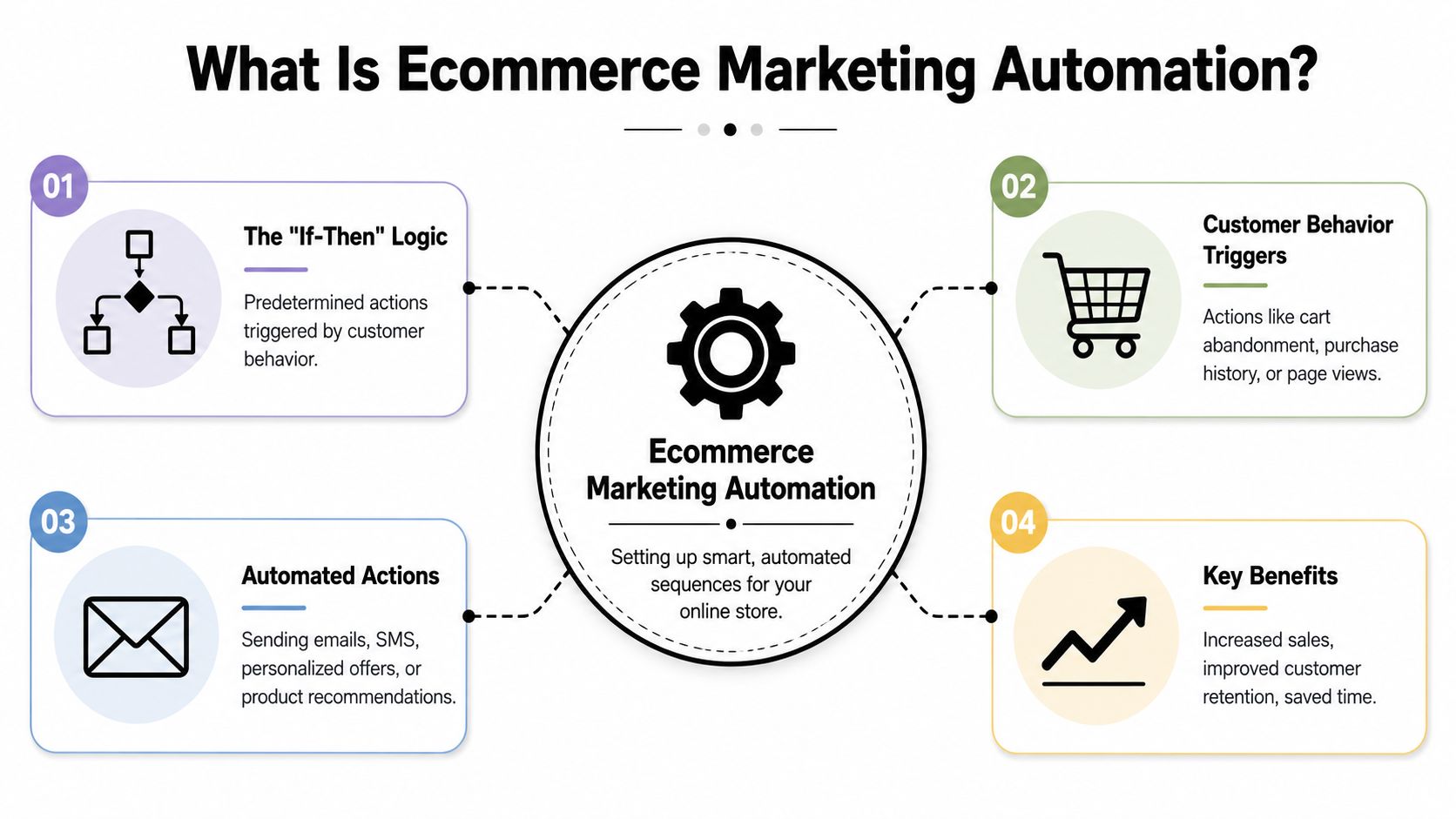
Ecommerce marketing automation is just a set of if-then instructions for your store.
If a shopper joins your email list, then send a welcome email.
If a customer buys a product, then send an order confirmation.
If someone adds an item to cart but leaves, then send a reminder later.
That's the core idea. You're deciding what should happen automatically after a customer does something important.
The three parts that matter
Once you strip away the software language, most automations have three parts.
| Part | Plain-English meaning | Simple example |
|---|---|---|
| Trigger | The event that starts the automation | A person subscribes to your newsletter |
| Action | What the system does next | It sends a welcome email |
| Workflow | The full chain of steps over time | Welcome email today, bestsellers email later, reminder after that |
If you understand those three parts, most automation tools stop feeling mysterious.
A simple store example
Say you sell kitchen organizers through Shopify.
A shopper browses your site, adds a drawer organizer to cart, and leaves before paying. You create a workflow that says:
- Trigger: Cart is abandoned
- Action: Send a reminder email
- Next action: If they still don't buy, send a second message that answers common objections
- Stop rule: If they complete the purchase, end the workflow
That entire setup is ecommerce marketing automation. Not because it's fancy, but because it runs without you touching it each time.
Good automation feels less like “sending more marketing” and more like “making sure customers don't get ignored.”
Why store owners use it
New founders usually care about three outcomes.
- Saving time: You stop repeating the same basic communication manually.
- Being more relevant: Customers get messages tied to what they did, not random broadcasts.
- Building stronger customer value over time: A buyer who gets a clear follow-up experience is easier to retain than one who hears nothing after checkout.
That last point confuses many beginners. They assume automation is mainly about getting the first sale. It helps there, but it also improves the experience after the sale. That matters because buyers remember whether your store felt organized, clear, and trustworthy.
What automation is not
It's not a license to spam people. It's not a giant sequence with endless emails. It's not “set it once and never look at it again.”
The best automations are short, useful, and tied to real customer moments. For a small store, fewer well-timed workflows beat a bloated system every time.
The 5 Core Automated Workflows for a New Store
If you're starting from zero, don't build everything at once. New stores need a small set of workflows that cover the highest-value moments in the customer journey. Build these first, and your store immediately becomes easier to run.
Welcome series
The welcome series starts when someone joins your email list. This is your store's handshake. It tells a new subscriber who you are, what you sell, and why they should care before they forget signing up.
A beginner version can be very simple:
- Email one: Welcome them, set expectations, and deliver any signup offer if you use one.
- Email two: Show your bestsellers or your most beginner-friendly products.
- Email three: Answer a common hesitation, such as shipping times, quality concerns, or how the product works.
For a dropshipping store, this is also where you build trust. You don't need a dramatic founder story. You need clarity. Explain what problem your product solves, who it's for, and what buying from your store will feel like.
Abandoned cart recovery
This is usually the first automation I'd tell a solo founder to activate. It catches shoppers who were close to buying but got distracted, uncertain, or interrupted.
A practical version looks like this:
- First reminder: A short message reminding them their cart is waiting.
- Second reminder: A follow-up that answers likely concerns, such as delivery expectations or product fit.
- Optional final nudge: A final message with urgency or a small incentive, if that fits your margins.
Keep the tone helpful. You're not chasing them around the internet. You're reopening the door.
Quick check: If your cart email sounds pushy, rewrite it like a store employee politely saying, “You left this behind. Want to finish up?”
Post-purchase follow-up
Many new stores treat the sale as the finish line. It's the start of the retention phase.
Post-purchase automation should reassure the customer that everything is moving as expected. For a beginner store, that often includes:
- Order confirmation: What they bought and what happens next
- Shipping or fulfillment update: Especially important for dropshipping, where buyers may be anxious
- Simple education or care message: How to use the product, what to expect, or how to get support
This workflow reduces support tickets because customers don't have to guess what's going on. It also makes your store feel more established, even if you're running it alone.
Review and UGC collection
Once customers have had time to receive and use the product, you can ask for feedback. This serves two jobs. It helps you gather proof for future shoppers, and it gives you a better sense of what customers liked or disliked.
A simple flow is enough:
- First message: Ask for a review in plain language
- Second message: If appropriate, invite them to share a photo or short product experience
- Optional branch: If they had a poor experience, direct them to support instead of pushing for a public review
User-generated content is especially useful for product pages, email, and paid ads. If you later build a referral program, customer proof becomes even more valuable. In this scenario, a practical referral marketing strategy for ecommerce brands starts to connect with your automation setup.
Basic customer retargeting
Retargeting brings back people who showed interest but didn't convert. For a new store, don't make this overly complicated. Start with very basic audience logic.
Think in terms of behavior:
| Visitor behavior | Retargeting message angle |
|---|---|
| Viewed product but didn't add to cart | Remind them what makes the product useful |
| Added to cart but didn't buy | Reinforce trust and remove hesitation |
| Bought once but hasn't returned | Show complementary products or replenishment ideas |
Retargeting doesn't have to begin with a huge ad account strategy. It can start with simple email reminders and later expand into paid channels when your traffic volume supports it.
The key is sequence. Don't ask every person to do the same thing. A browser, a cart abandoner, and a repeat buyer are not in the same conversation with your brand.
Automating Your Ads Without an Agency
Email automation usually comes first because it's easier to control. Paid ads are where many solo founders freeze. The ad platforms look complex, the targeting options feel endless, and every decision seems expensive.
That's why ad automation matters. It reduces the number of strategic decisions you have to make from scratch.
What ad automation should actually do
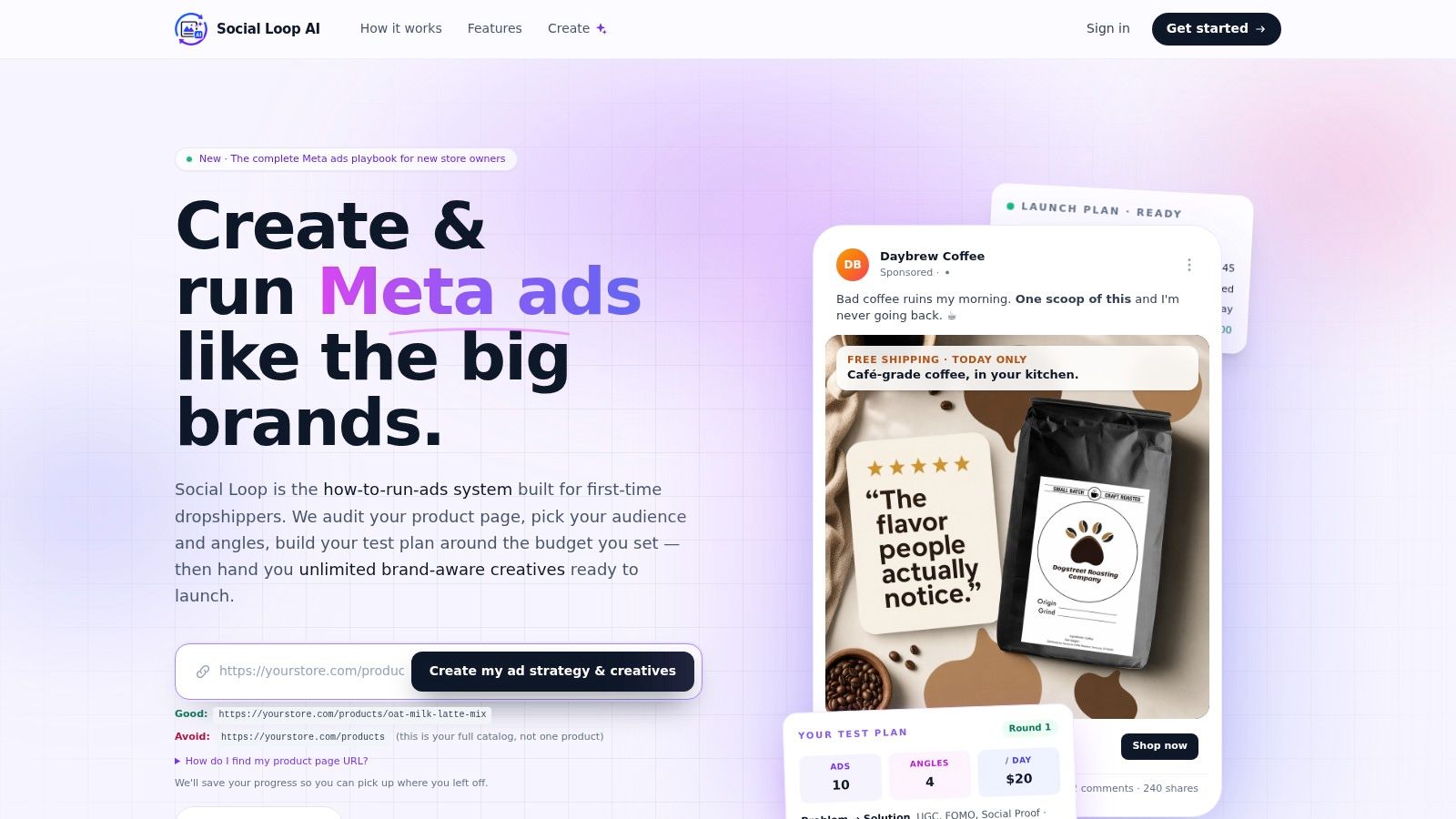
For a new store owner, ad automation shouldn't mean surrendering control. It should mean getting structure.
Good systems help with things like:
- Audience direction: Turning a vague idea of your buyer into a clear starting profile
- Creative production: Generating multiple ad angles instead of forcing you to invent each ad manually
- Testing discipline: Helping you launch small, organized tests instead of random experiments
- Message consistency: Matching ad copy to your product page so the customer journey feels coherent
This is especially useful for dropshippers. A lot of first-time founders lose money not because the product is impossible to sell, but because their ads are inconsistent. The hook says one thing, the creative suggests another, and the landing page doesn't resolve the promise.
You don't need an agency to fix that. You need a process.
When to add ad automation
The right time is usually after you've put your basic store automations in place. If your welcome emails, cart recovery, and post-purchase messages are running, then paid traffic has somewhere sensible to go.
At that point, ad automation becomes your shortcut to a cleaner launch workflow. Instead of opening Ads Manager and guessing, you start with a structured plan and better creative options. If you want to see how this kind of system overlaps with short-form channels, this guide to TikTok automation for ecommerce workflows is a useful companion.
A short walkthrough helps make the concept more concrete.
Paid ads still need judgment. No tool removes that. But for a solo founder, automation can handle the heavy setup work so you spend less time wrestling with mechanics and more time evaluating what customers respond to.
Your Crawl Walk Run Implementation Roadmap
Most automation advice fails because it assumes you should build a complete machine on day one. That's how beginners end up overwhelmed, paying for tools they barely use, and abandoning the whole project.
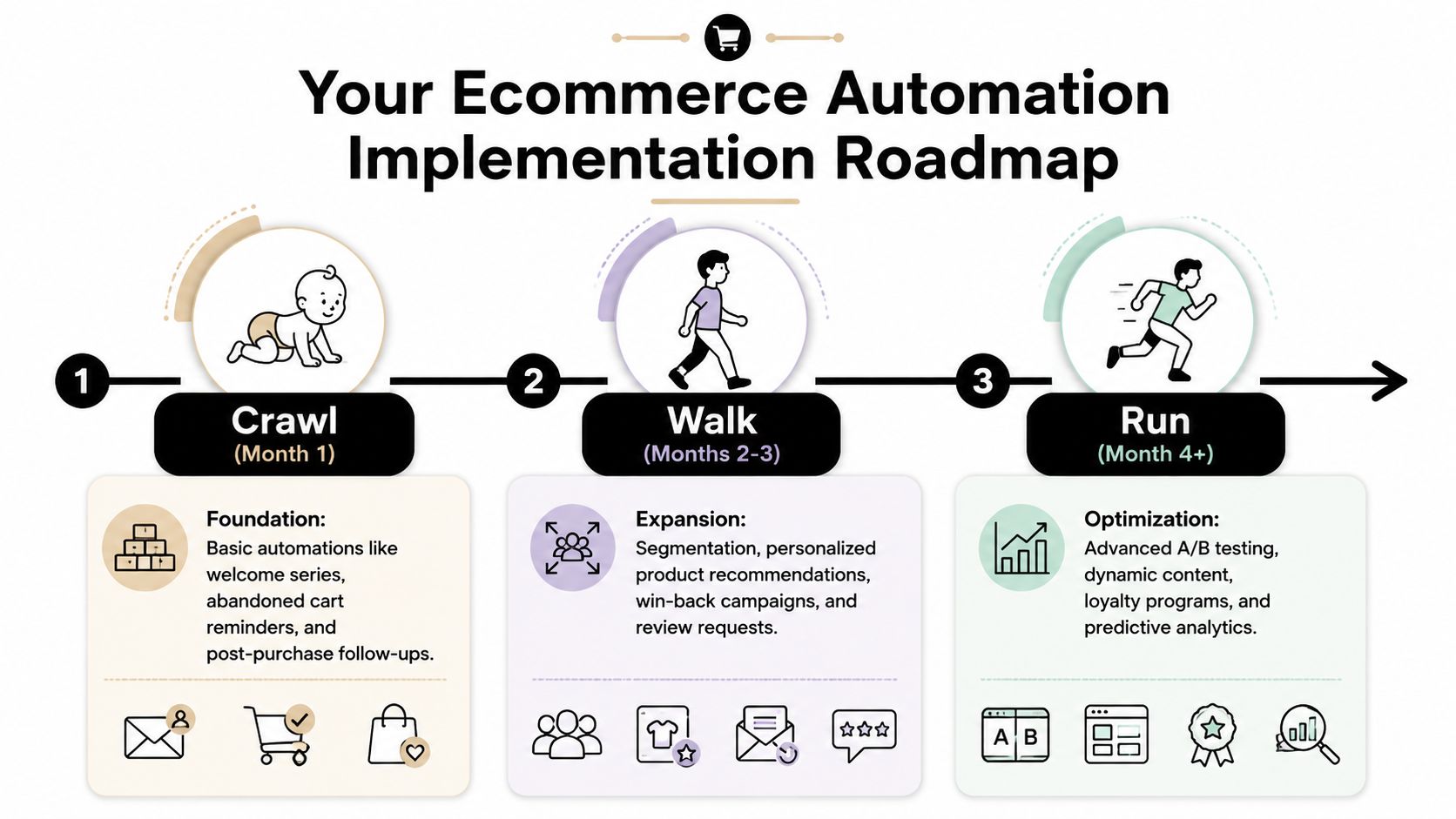
A better approach is staged. Start with what your platform already includes. Then expand only when the basics are stable.
Crawl
This phase is about getting out of manual mode. Use free or built-in features first.
If you're on Shopify, start with the native notifications and any basic abandoned checkout settings available in your store setup. If you're on WooCommerce, check the default transactional emails and the simplest plugin options before shopping for a larger platform.
Your crawl-phase priorities should be:
- Turn on order notifications: Customers should always know their order went through.
- Set up one abandoned cart reminder: Even a basic version is better than silence.
- Write one welcome email: A single good message beats a half-built series.
- Review your support emails: Make sure buyers know how to contact you and what to expect.
At this stage, your goal isn't sophistication. It's coverage. You want the most important customer moments handled automatically.
Start ugly if you need to. A plain-text abandoned cart email that works is better than a beautiful flow still sitting in draft mode.
Walk
Once your basics are live, move into a lightweight email platform if your built-in tools start feeling limiting. Many solo founders choose Klaviyo, MailerLite, Omnisend, or another beginner-friendly platform based on budget, store integration, and ease of use.
Now you can build real workflows instead of one-off messages.
Focus on these upgrades:
- Expand your welcome email into a short series
- Make cart recovery multi-step
- Add a post-purchase flow with reassurance and product education
- Request reviews after delivery
- Tag or segment shoppers based on behavior
Segmentation sounds advanced, but the beginner version is simple. Separate subscribers from customers. Separate one-time buyers from people who returned. Separate highly engaged visitors from people who haven't interacted in a while.
That small amount of structure improves relevance fast.
Run
This phase starts when your core flows are stable and you've checked that they're firing correctly. Now you can add optimization and paid support.
A run-phase setup often includes:
| Stage | Focus | Example moves |
|---|---|---|
| Retention | Bring past buyers back | Win-back emails, replenishment reminders, cross-sell flows |
| Personalization | Send better-fit messages | Product recommendations based on past behavior |
| Paid automation | Support organic flows with ads | Retargeting audiences, creative testing, automated ad planning |
This is also where you stop sending the same message to everyone. A customer who bought recently shouldn't receive the same campaign as someone who only visited once. Your store gets smarter by recognizing those differences.
For ad work, this is the point where AI tools can save a lot of time. They can help you turn your product page into clearer launch angles, generate creative variations, and keep your testing plan organized without needing agency-style overhead.
Measuring Success and Avoiding Common Pitfalls
Automation only helps if it's doing useful work. You don't need a giant analytics stack to judge that. You just need to watch a few practical signals and avoid the mistakes that make automations feel robotic.
What to watch first
New founders often open a dashboard and get lost immediately. Keep it simple.
Look at these metrics first:
- Open rate: Are people opening the email at all? If not, fix subject lines and sender trust before changing the whole sequence.
- Click-through rate: Are opens turning into interest? If people open but don't click, your message may be unclear or your offer weak.
- Conversion rate for the workflow: Did the automation lead to the action you wanted, such as a purchase, review, or return visit?
- Revenue per recipient: Which flows are producing value, not just engagement?
You don't need to obsess over every number every day. Check whether each workflow is doing its job. If a cart recovery email gets attention but few clicks, the message may not address the shopper's hesitation. If a post-purchase flow gets clicks but creates support tickets, the content may be confusing.
For a broader mindset on improving decisions with cleaner feedback loops, this guide to data-driven marketing for growing brands fits well with your automation process.
Three mistakes that hurt new stores
The first mistake is over-automating. Some founders add too many emails, too quickly, and every customer ends up in overlapping sequences. That creates noise.
The fix is restraint. Start with a few workflows tied to real moments. Make each one useful.
The second mistake is not testing the flow before turning it on. Broken links, wrong delays, and awkward wording are common when you're building in a rush.
Send every workflow to yourself first. Click every button, read it on mobile, and make sure the stop rules work.
The third mistake is sending the same message to everyone. A new subscriber, a recent buyer, and a repeat customer shouldn't all get identical follow-ups.
The solution is simple segmentation. You don't need elaborate customer scoring. Basic groups based on behavior are enough to make your automation feel thoughtful instead of generic.
Your Automation Action Checklist
Automation works best when you treat it like a system you improve over time, not a one-time project. You don't need to finish everything this week. You need to install a few useful habits and let them compound.
For most solo founders, the best next move is to keep the first setup small enough that it gets done.
Start with these actions
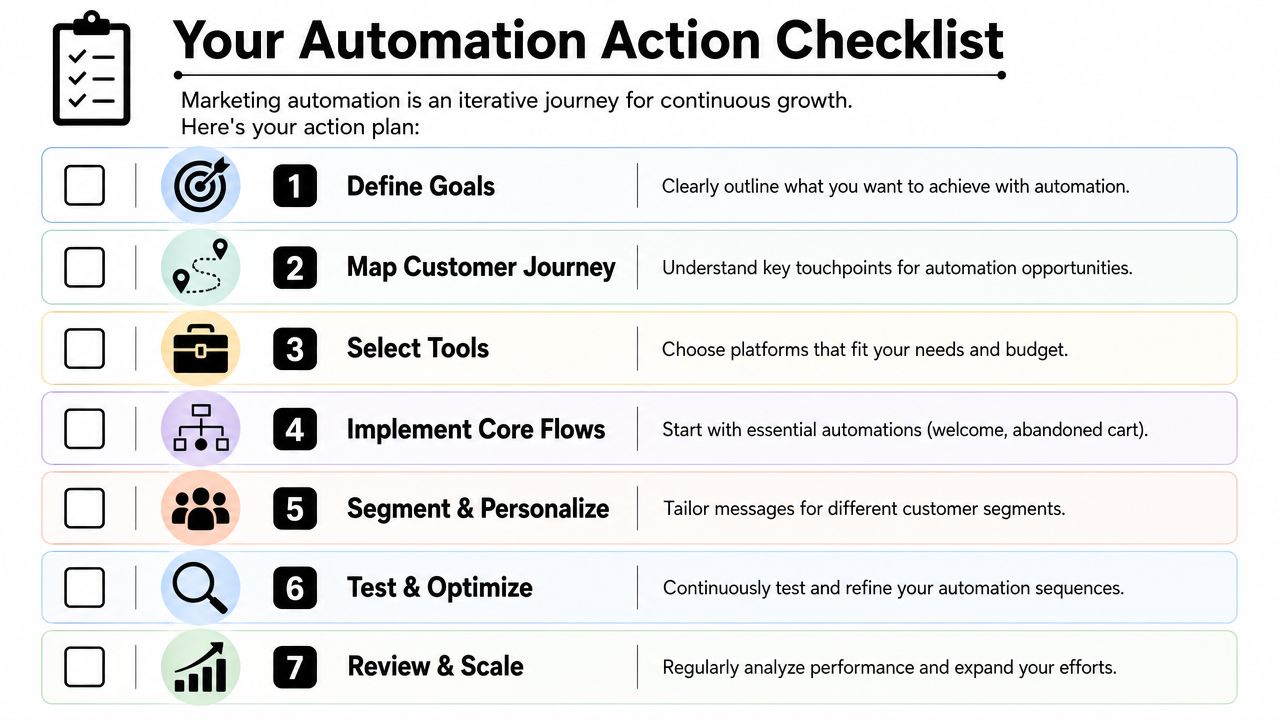
- Activate your store's built-in order emails: Make sure every buyer gets a clear confirmation and update path.
- Turn on one abandoned cart automation: Keep it short and helpful.
- Write a single welcome email: Introduce the brand, the product category, and what happens next.
- Create one post-purchase follow-up: Reassure buyers and answer common fulfillment questions.
- Add a review request: Ask after the product has had time to arrive and be used.
- Separate subscribers from buyers: This is your first useful segment.
- Test every workflow yourself: Open, click, read on mobile, and check timing.
The right way to think about progress
A lot of new store owners wait until they have the “perfect stack.” That usually delays action. Your first automation setup should be basic, functional, and easy to improve.
Once those first flows are live, you'll learn faster because real customer behavior will show you what needs work. That's when ecommerce marketing automation stops being a vague concept and starts acting like a real part of your business.
If you're ready to go beyond email flows and want help launching paid campaigns with more structure, Social Loop AI helps first-time ecommerce owners turn a product URL into a practical Meta ads plan and brand-aware creatives without hiring an agency. It's a useful next step when your store automations are running and you want a simpler path into ads.