Blog
AI Generated Commercials: The Ecommerce Guide for 2026
Published July 7, 2026
You've got a product page live, a few sample orders or at least some conviction, and now you've hit the part that stalls a lot of first-time store owners. You need ads. Not just any ads, but video ads that can stop a scroll on Instagram or Facebook and make a stranger care in seconds.
That's where most small brands get stuck. Hiring a creator costs money. Shooting your own footage takes time. Editing software feels like a second job. So the product sits there while you overthink creative.
AI generated commercials changed that. Beyond that, they're no longer just a cheap workaround. A landmark 2025 study found that AI-generated ads reached a 0.76% CTR versus 0.65% for human-made ads, a measurable advantage highlighted in Fluid AI's summary of the 2025 ad performance research. The opportunity isn't just speed. It's speed plus usable performance.
The catch is that raw AI output still fails all the time. It fails when the angle is vague, when the script sounds like generic internet copy, and when the final ad feels synthetic instead of persuasive. That's why the right model isn't AI-only. It's human-in-the-loop. You set the strategy. AI handles execution. You edit what matters.
Table of Contents
- The End of the Creative Bottleneck
- Strategy Before Software Nail Your Angle and Script Prompts
- Your AI Commercial Production Pipeline
- Editing and Branding Your AI-Generated Video
- Launching on Meta and A/B Testing for Performance
- The Human Touch Your Advantage in an AI World
The End of the Creative Bottleneck
The old bottleneck in ecommerce wasn't always product sourcing or store setup. It was creative production. A new founder could find a decent product, launch on Shopify, and still lose weeks trying to turn that product into ad-ready video.
AI generated commercials remove a lot of that friction. You can draft concepts, generate script options, create voiceovers, and produce visual scenes without assembling a full freelance stack. For a small-budget brand, that changes the economics of testing. Instead of waiting until you can afford the “perfect” shoot, you can get campaigns live and learn faster.
That matters because creative volume drives insight. If you only launch one ad, you don't really know whether the product is weak or the message is weak. AI helps you create more variations without turning every new idea into a production project.
Practical rule: Don't treat AI as a shortcut for laziness. Treat it as a way to remove production drag so you can spend more time on positioning, offer clarity, and audience fit.
The strongest use case for beginners is simple. Let AI produce drafts quickly, then step in where judgment matters. That means deciding what problem the product solves, what objection the customer feels, and what emotional tone suits your brand.
A lot of beginners assume bigger brands win because they have better editors. Sometimes they do. But often they win because they test more angles, faster. AI closes part of that gap.
Here's the mindset shift that matters: your first campaign doesn't need studio polish. It needs a clear promise, a believable presentation, and enough creative variation to expose what buyers respond to.
Strategy Before Software Nail Your Angle and Script Prompts
Most bad AI commercials start with a lazy instruction like “make me a video ad for my product.” The model fills in the blanks with average internet language, broad claims, and scenes that look technically acceptable but strategically empty.
If you want useful output, choose the angle first. Software comes second.
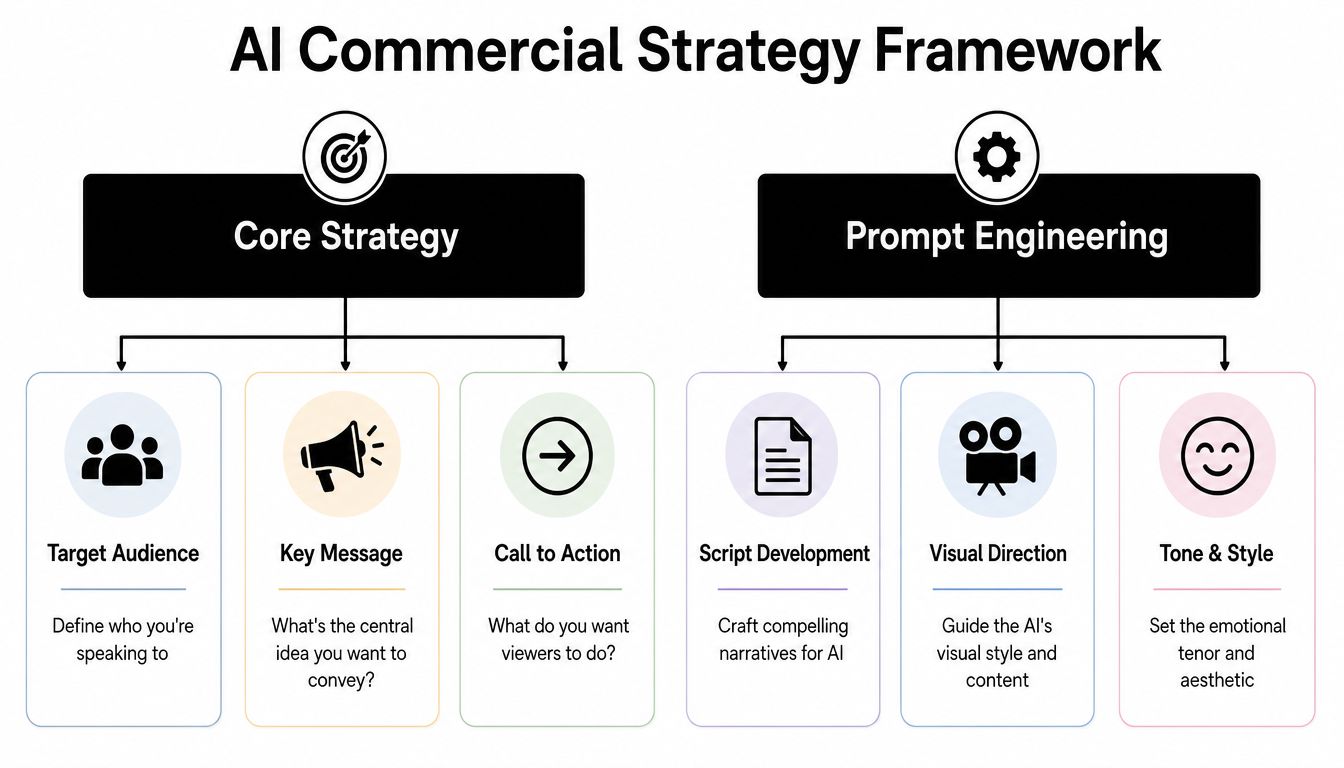
Pick one angle before you generate anything
A strong ad usually starts from one of a few familiar ecommerce angles. You don't need to invent a new persuasion model. You need to match the angle to the product.
Here are four angles that work well for first campaigns:
-
Problem to solution
Best for products that remove friction. Think posture tools, cleaning gadgets, storage products, or kitchen helpers. Start with the annoyance, then show the relief. -
Feature to benefit
Best for products with a clear mechanism. Don't stop at “stainless steel” or “portable.” Translate each feature into what the buyer gets in daily life. -
Social proof style
Best when the product category is already familiar and trust is the blocker. This angle borrows the feel of customer reactions, common objections, and simple “why people like it” framing. -
Identity or lifestyle
Best for fashion, beauty, wellness, and aesthetic home products. The product becomes a signal about taste, routine, or self-image.
A personalized approach matters. In MIT's study of 21,000 consumers, AI-generated personalized video ads outperformed generic video ads in CTR by 6.5%. The lesson for a new store owner is straightforward. Generic ads don't just feel weak. They often perform weakly.
Prompt formulas that produce better scripts
Use prompts that contain five ingredients: audience, pain point, promise, proof style, and call to action. If one of those is missing, the AI usually fills the gap with fluff.
Here are copy-ready prompt formats you can adapt.
| Angle | Prompt formula | Best use |
|---|---|---|
| Problem to solution | “Write a 20 to 30 second Meta video ad script for [product]. Target [audience]. Open with a frustrating everyday problem they already recognize. Agitate the pain briefly. Introduce the product as the simple fix. Use plain language, short sentences, and end with a direct CTA.” | Utility products |
| Feature to benefit | “Write a short ecommerce video ad for [product] aimed at [audience]. Turn these features into buyer benefits: [feature list]. Make the script sound practical, not technical. Include on-screen text ideas and one CTA.” | Functional products |
| Social proof style | “Write a UGC-style ad script for [product] targeting [audience]. Use a believable customer tone. Mention skepticism at the start, then explain what changed after using the product. Keep it natural and concise.” | Trust-sensitive categories |
| Identity or lifestyle | “Write a visually driven script for [product] targeting [audience]. Focus on the mood, lifestyle, and self-image associated with the product. Keep the copy minimal, emotionally clear, and suitable for short-form video.” | Style-led products |
A few prompt upgrades make a big difference:
- Name the platform so the pacing fits Meta, Reels, or Stories.
- Ask for a hook in the opening line rather than hoping the model invents one.
- Request on-screen text suggestions if you plan to edit the ad yourself.
- Ban empty phrases like “game-changing” or “must-have” if your niche is crowded.
For beginners who want help structuring angles and ad inputs before generation, this guide to an AI ads creator workflow is useful because it pushes strategy before asset production.
Good prompts don't sound clever. They sound specific.
If your product page can't tell you the audience, core objection, and key promise in one minute, fix that first. AI can polish your thinking, but it can't rescue missing positioning.
Your AI Commercial Production Pipeline
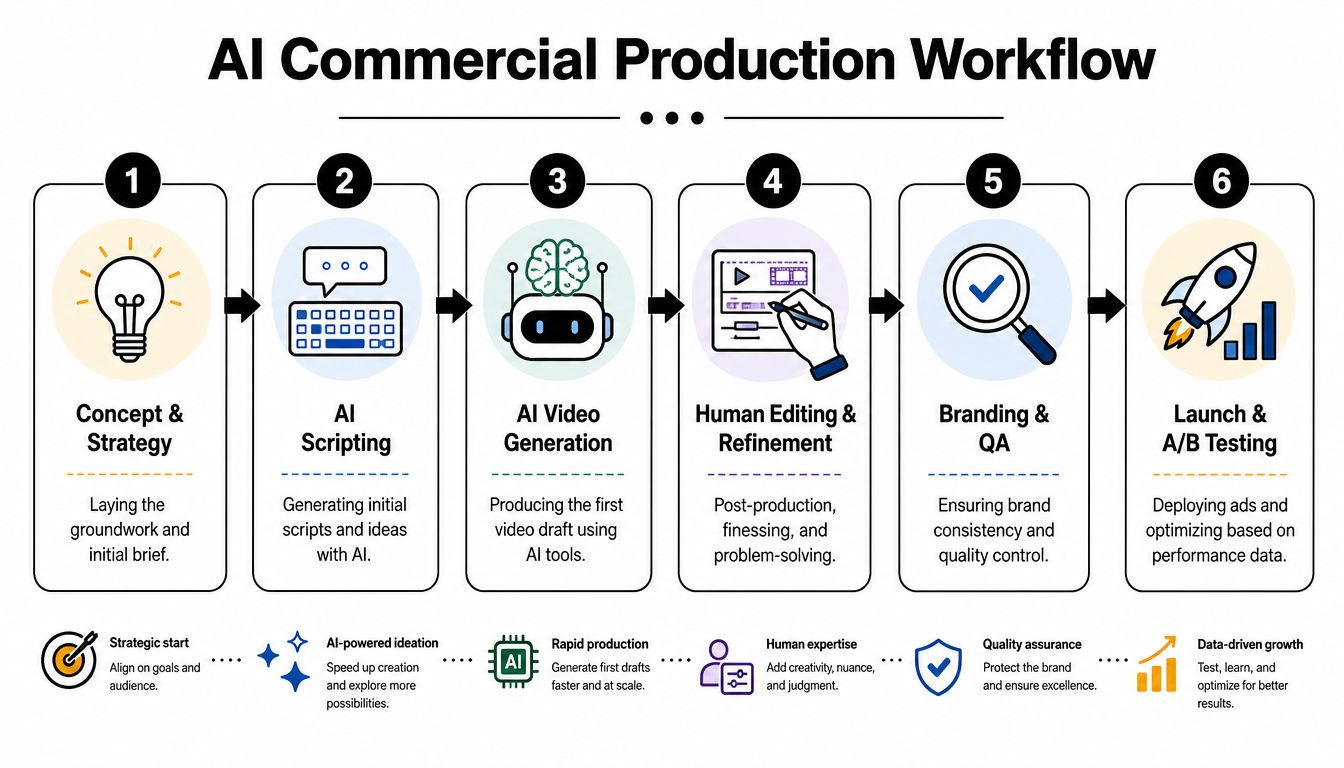
Once the angle is clear, production gets much easier. Think of AI commercial creation as an assembly line. One output feeds the next. When beginners struggle here, it's usually because they're trying to generate the final ad in one step.
That rarely works. Break the process into script, voice, and visuals.
Stage one turns the idea into a script
Use a text model to create several script directions from the same angle. Ask for variations by tone, not just wording. For example, one version can feel direct and practical, another can sound like UGC, and a third can lean more aspirational.
What matters at this stage is structure:
- Hook
- Problem or desire
- Product mechanism
- Reason to believe
- Call to action
If the script generator produces long blocks of copy, shorten them immediately. Most short-form ads need sharp phrasing and visual room to breathe. You're not writing a landing page.
A useful quality check is to read the script out loud. If it sounds like ad copy instead of speech, it'll feel fake once voiced.
Stage two gives the ad a voice
The voiceover changes how the ad feels more than most beginners expect. The same script can sound premium, casual, urgent, or awkward depending on the voice model and delivery speed.
You have two solid options:
- AI voiceover: Fast and flexible. Good for testing many versions quickly.
- Human voice recording: Better when the brand relies on warmth, trust, or founder credibility.
For a first campaign, AI voice can be enough if you choose a natural tone and edit the pacing. Avoid voices that sound too polished for a low-friction product. A kitchen gadget ad that sounds like a movie trailer usually loses believability.
If the voice sounds more expensive than the brand, the ad can feel dishonest.
Also watch pronunciation. AI voices often mishandle brand names, ingredient names, or niche product terms. Fix those before export. Small errors make the whole ad feel careless.
Stage three builds the visual layer
Many people get distracted by flashy tools. You don't need the most cinematic generator. You need visuals that support the sales argument.
There are two common visual paths:
| Visual method | Best for | Watch out for |
|---|---|---|
| Text-to-video | Concept scenes, abstract mood shots, filler b-roll | Unrealistic motion, inconsistent products |
| Image-to-video | Animating product images, mockups, or stills | Limited movement, repetitive feel |
| Real footage plus AI support | Product demos, founder clips, UGC-style edits | Requires some source material |
For ecommerce, the hybrid option is often strongest. Use real product photos, simple demo clips, or founder-shot footage as the anchor. Then use AI for transitions, backgrounds, enhancement, or supporting b-roll.
That keeps the product recognizable. It also helps avoid the common problem where the item looks different from shot to shot. For physical products, consistency matters more than novelty.
A simple beginner pipeline looks like this:
- Draft the script in a text model
- Generate the voiceover from the approved script
- Create or collect visual scenes that match each line
- Assemble in an editor with captions, pacing, and brand assets
- Export multiple aspect ratios for placements
- Launch small tests and review performance
That's the production mindset worth keeping. AI tools are modular. You don't need one platform that does everything. You need a workflow where each step improves the next.
Editing and Branding Your AI-Generated Video
An AI-generated video is not the ad. It's the draft.
This is the part many beginners skip because the raw output feels “good enough.” But good enough usually means vague pacing, weak openings, generic visual rhythm, and no real brand memory. Human editing is what turns generated footage into something people can actually trust.
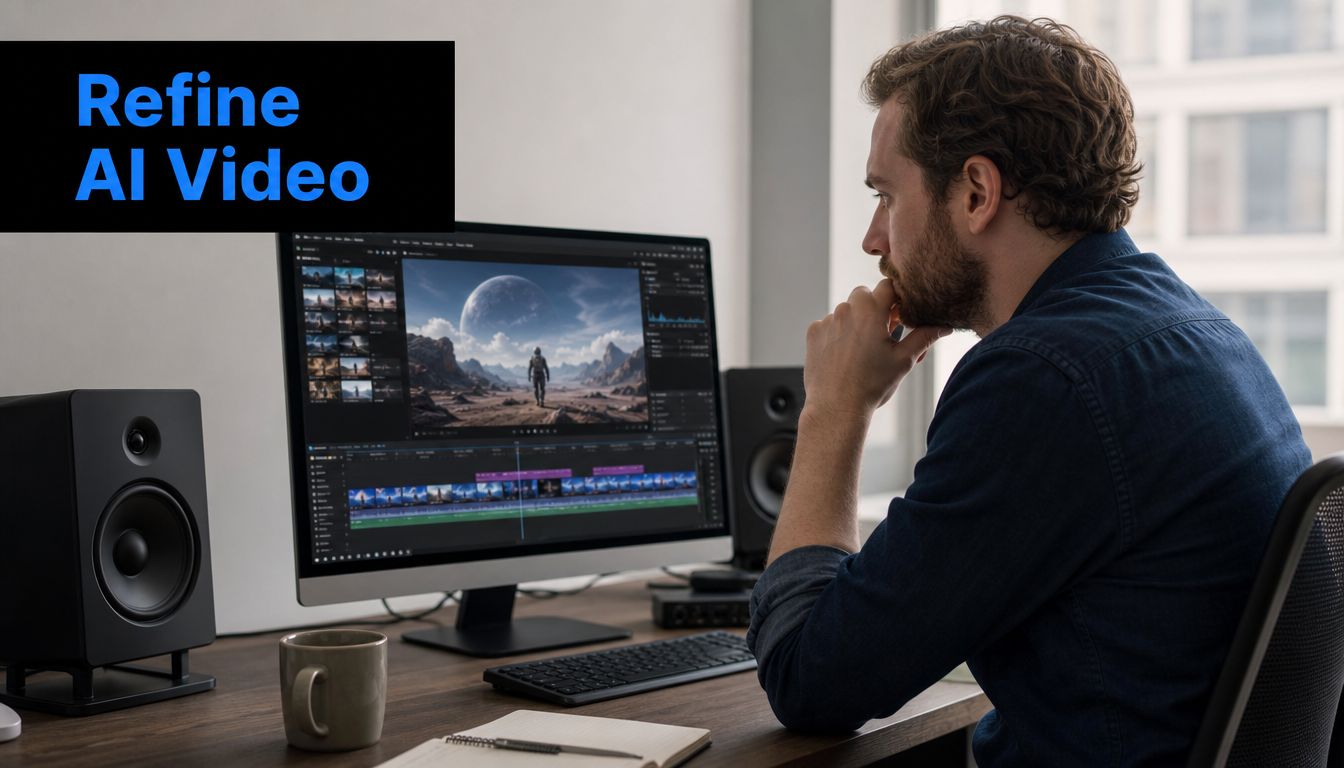
Fix the first three seconds first
The first three seconds carry a lot of the result. According to Short Genius analysis on AI video ad mistakes, a strong hook can improve view duration by 40 to 60%. That's why the opening deserves manual attention even if the rest of the video came from AI.
Don't open with a logo animation. Don't open with a slow pan. Don't open with a sentence that needs context.
Open with one of these:
- A visible problem the audience instantly recognizes
- A bold product outcome stated in plain English
- A quick before-and-after contrast
- A face speaking directly to camera
- A surprising product use moment
If your current opening needs explanation, it's not a hook.
Turn a rough draft into a brand asset
Editing is where your brand enters the ad. This is also where weak AI output becomes usable.
A practical edit pass usually includes:
- Trim dead space: Remove pauses, slow establishing shots, and repeated visual ideas.
- Add text overlays: Many viewers watch with low sound or no sound. Captions and key phrases carry the message.
- Match the visual tempo to the product: Fast cuts fit impulse products. Slower pacing can work for premium or emotional offers.
- Insert product proof: Show texture, movement, scale, ingredients, materials, setup, or results.
- Use your brand palette carefully: Small color consistency does more than most beginners realize.
- Place the logo late or lightly: Brand identity should support the message, not block it.
For store owners making ads from still images, this walkthrough on a video maker with photos and music is a useful complement because it forces you to think about sequence and mood, not just asset generation.
Music matters too. It sets context fast. A calm track can make the product feel premium. A brighter beat can make a simple gadget feel impulse-friendly. But avoid letting music overpower the ad's clarity. If the soundtrack is doing all the emotional work, the script probably isn't strong enough.
Editing rule: Every shot should either clarify the product, intensify the problem, or support the desired emotion.
One more thing. Resist the urge to leave strange AI moments in the cut because they look “cool.” If a hand movement looks off, if the product shape shifts, or if the lip sync feels uncanny, remove it. Viewers may not articulate why the ad feels wrong, but they'll feel it.
Launching on Meta and A/B Testing for Performance
A finished commercial still needs one more layer of work before launch. Meta placements reward adaptation, not one-size-fits-all exports. The ad that works in Feed often needs a different crop, text treatment, or pacing in Stories and Reels.
Start by building around mobile-first viewing.
Adapt one ad into multiple placements
You don't need new creative for every placement, but you do need customized versions.
For Meta, focus on these practical changes:
| Placement | What to change | Why it matters |
|---|---|---|
| Reels | Fast hook, larger captions, tighter cuts | Reels is aggressive and scroll-heavy |
| Stories | Clear vertical framing, obvious CTA, less clutter | Screen space is narrow and attention is short |
| Feed | Slightly slower opening, stronger thumbnail frame, readable first text line | Feed gives a little more context but still needs clarity |
A few launch checks save wasted spend:
- Check framing: Make sure the product sits in the center-safe area.
- Check text readability: Small caption text that looks fine on desktop often fails on mobile.
- Check CTA timing: Don't wait until the final second to ask for action.
- Check thumbnail quality: The paused frame affects whether people even start watching.
Use a simple testing structure
Most beginners overcomplicate testing. They launch too many variables at once, then can't tell what caused the result. Keep it clean.
Test one high-impact variable at a time:
- Hook
- Primary headline
- CTA
- Visual style
- Voice style
Short Genius also notes that running multiple variations instead of a single-variant campaign improves optimization, and that testing 3 to 10 variations can produce better ROAS in practice according to their breakdown of common AI ad mistakes and fixes. For a new store owner, the principle matters more than the spreadsheet. One ad is not a test. It's a guess.
Watch these signals closely after launch:
- CTR: Tells you whether the creative earns the click
- Cost per result: Shows whether the market likes the ad enough at your current setup
- ROAS: Helps judge commercial viability after enough data accumulates
Use CTR first as the creative read. If people aren't clicking, don't obsess over backend metrics yet. Fix the message, hook, or offer presentation.
A practical walkthrough helps here:
The biggest launch mistake isn't using AI. It's assuming the first generated version deserves scale. Treat launch as the start of refinement, not the finish line.
The Human Touch Your Advantage in an AI World
The final advantage isn't access to AI. Everyone has access now. The advantage is knowing where AI should stop.
Use selective AI instead of full automation
A lot of AI ad content online pushes full synthetic production, including AI people, AI dialogue, and AI scenes from end to end. That's often the wrong move for a small brand trying to build trust from scratch.
A more practical route is selective AI use. Use AI for backgrounds, b-roll, office scenes, equipment, mockups, or supporting motion. Keep real people in the ad when trust matters. That approach aligns with the trust-restoration guidance summarized by NielsenIQ's coverage of consumer attitudes toward AI-generated ads.
For many new brands, the best spokesperson is the founder, a creator, or a real customer-style face. Even a simple phone-shot clip can anchor an ad emotionally better than a fully synthetic character.
Use AI to reduce production cost, not to erase the human signals buyers use to decide whether you're real.
Transparency matters more than most beginners think
There's also a disclosure issue that small brands shouldn't ignore. A study summarized by the University of Kansas found that only about half of AI-generated ads are clearly labeled as such, raising concerns around consumer deception in the KU Journalism report on AI ad labeling.
That doesn't mean every ad needs a giant warning banner. It does mean you should think carefully about how far personalization goes, how realistic your AI content appears, and whether the ad misleads viewers about what's real.
The best AI generated commercials don't feel robotic. They also don't pretend the machine is the brand. Your judgment is still the thing shaping the promise, the tone, the edit, and the trust signal.
If you're launching your first campaign, that's good news. You don't need agency infrastructure. You need a clear angle, a simple production flow, a disciplined testing habit, and enough restraint to keep AI in the role it handles best. Execution.
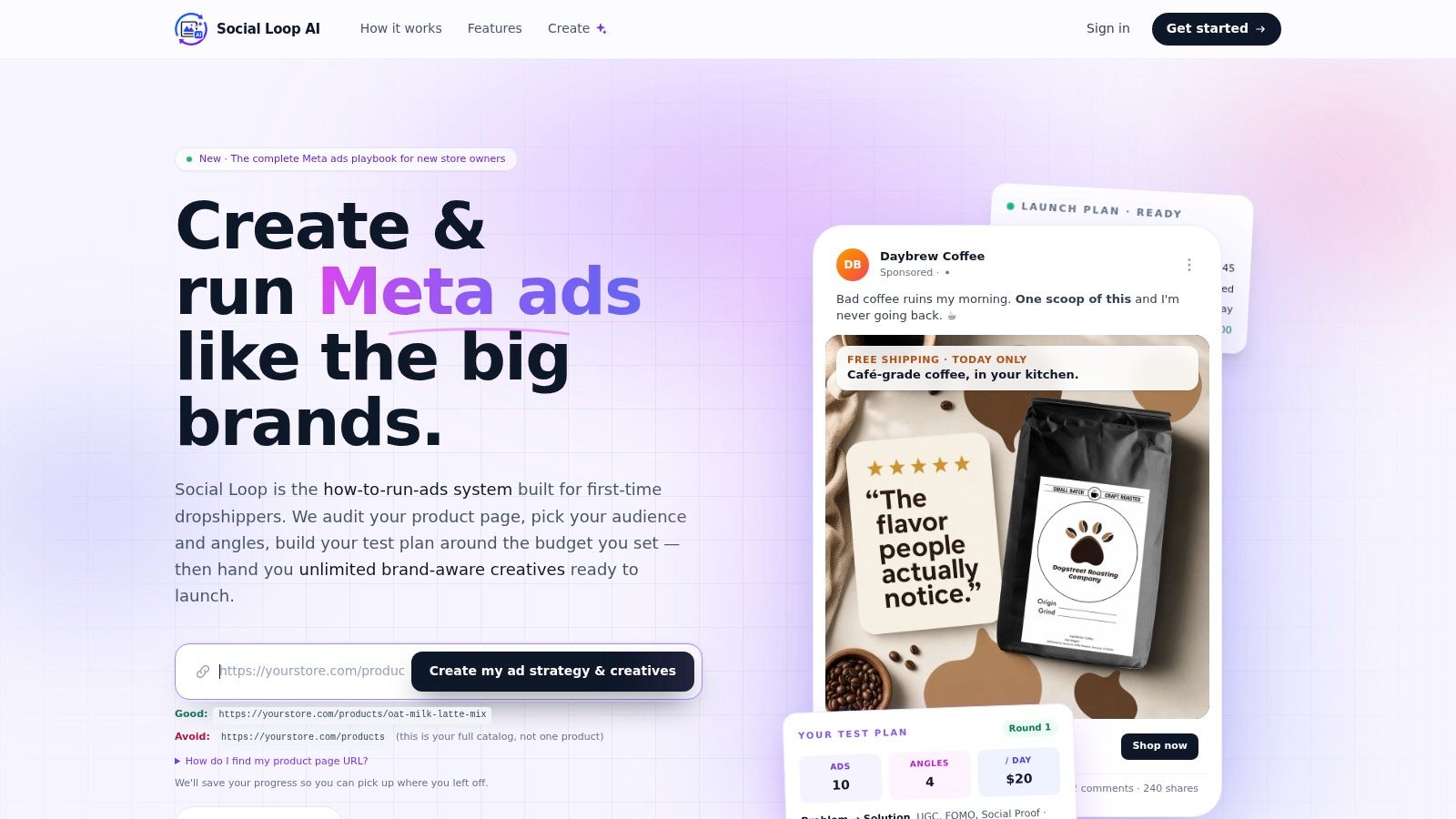
If you want a faster way to turn a product page into a practical Meta launch plan, Social Loop AI is built for first-time dropshippers and new ecommerce owners. It helps you define angles, generate brand-aware creatives, structure budget-friendly tests, and decide what to scale or retest without needing an agency.