Blog
AI Ads Creator: Turn a URL Into a Meta Ads Plan
Published July 5, 2026
You've got a product page, a Shopify theme that finally looks decent, and a Meta Ads account open in another tab. The problem isn't motivation. It's that the moment you try to launch, everything branches into ten decisions at once. Audience. hooks. formats. budget. landing page. creative. tracking. It's easy to freeze and tell yourself you need “better ads” before you can start.
Most first campaigns don't fail because the founder picked the wrong background color for an image. They fail because the campaign had no operating system behind it.
That's where an AI ads creator becomes useful, but only if you treat it as more than a prompt box for images. For a new e-commerce founder, its primary value is turning a product URL into a launch plan you can execute. That means checking whether the page is ready for paid traffic, deciding which buyer motivations to test, generating creatives tied to those motivations, and using results to make the next decision without guessing.
Table of Contents
- Why Your First Ad Campaign Is More Than Just Creatives
- From URL to Insight Pre-Launch Audits and Fixes
- Building Your AI-Powered Ad Strategy
- Generating High-Performance Ad Creatives at Scale
- Launching and Optimizing Your AI-Driven Campaign
- Conclusion Your New Role as an Ad Strategist
Why Your First Ad Campaign Is More Than Just Creatives
A new store owner usually starts in the same place. They upload a product, write a short description, then open Meta Ads Manager and realize the platform assumes they already think like a media buyer. The interface asks for structure before the founder has clarity. So they jump to the part that feels tangible. They make an image, maybe a quick video, and hope the ad itself will carry the whole campaign.
It usually doesn't.
Most bad first launches come from a missing chain of logic. Who is this product for right now. What pain point matters enough for that person to stop scrolling. Does the product page answer the obvious objections. If one angle fails, what gets tested next. Without those answers, even a decent creative is just an unstructured guess.
The real job is reducing expensive confusion
An ad creative is only one surface layer of the campaign. Underneath it, you need a few things working together:
- A clear buyer hypothesis that tells you who should care first
- A message angle that gives the product a reason to matter
- A page that matches the promise made in the ad
- A testing plan so one weak result doesn't end the experiment too early
That's why most AI creative advice misses the mark. It jumps straight to generation and skips the planning that makes the output usable. As IAB notes on Gen AI video ad adoption, most AI creative advice fails because it skips foundational steps, and success comes from a systematic testing approach where AI tracks components like format, hook, and audience. The same source also notes that 86% of buyers use or plan to use Gen AI for video ad creative.
A beginner doesn't need more asset options first. They need fewer strategic blind spots.
What an AI ads creator should actually do
A useful AI ads creator should behave less like a design toy and more like an assistant media buyer. It should take the messy early-stage questions and force them into a sequence.
Think of the workflow this way:
| Stage | Wrong approach | Better approach |
|---|---|---|
| Pre-launch | Make ads immediately | Audit the page before spending |
| Messaging | Use one generic pitch | Test several distinct angles |
| Creative | Generate random variations | Tie each ad to an angle and objection |
| Optimization | Judge by feel | Log results and decide what to scale |
That's the difference between “using AI” and building an AI-driven launch process.
From URL to Insight Pre-Launch Audits and Fixes
Before you spend on traffic, your product page has to earn the click it's about to receive. Most new advertisers skip this because page work feels slower than ad work. It isn't. It's the most impactful fix available when budget is tight.
The common beginner problem isn't tool access. It's messaging clarity. As Walturn's review of AI ad makers points out, beginners' biggest hurdle is “figuring out what to say in the ad,” and existing guides do a poor job helping them validate landing-page readiness before spending budget.
What to audit before launch
When an AI system starts from a URL, it should inspect the page like a conversion-focused operator, not like a generic site scanner. The question isn't whether the page exists. The question is whether the page supports the ad claim you're about to make.
Look for friction in these areas:
- Headline clarity. Can a cold visitor understand the product and core benefit quickly?
- Benefit hierarchy. Does the page explain why this is better, easier, safer, faster, or more desirable?
- Offer visibility. Is the price, bundle, or discount easy to find?
- Trust signals. Reviews, guarantees, shipping info, and returns reduce hesitation.
- Mobile readability. Most first-click traffic will behave impatiently on a phone.
A page can look polished and still fail this test. Plenty of product pages are visually clean but strategically weak. They describe features with no tension, no buyer outcome, and no proof.
What a readiness score should help you decide
A landing-page readiness score is useful when it drives action. It should tell you whether the page is strong enough to test now, whether it needs copy repair first, and where the weak spots are.
For example, an AI audit might flag problems like:
| Issue found | Why it hurts ads | Better fix |
|---|---|---|
| Vague hero line | The visitor can't tell what problem is solved | Rewrite the headline around the main outcome |
| No objection handling | Buyers create their own doubts | Add shipping, usage, or quality reassurance |
| Weak CTA copy | The page loses momentum | Replace generic button text with stronger purchase intent |
| Missing proof | The ad promise feels unsupported | Add reviews, testimonials, or concrete usage context |
Practical rule: If the product page can't sell the click, the ad has to do too much work.
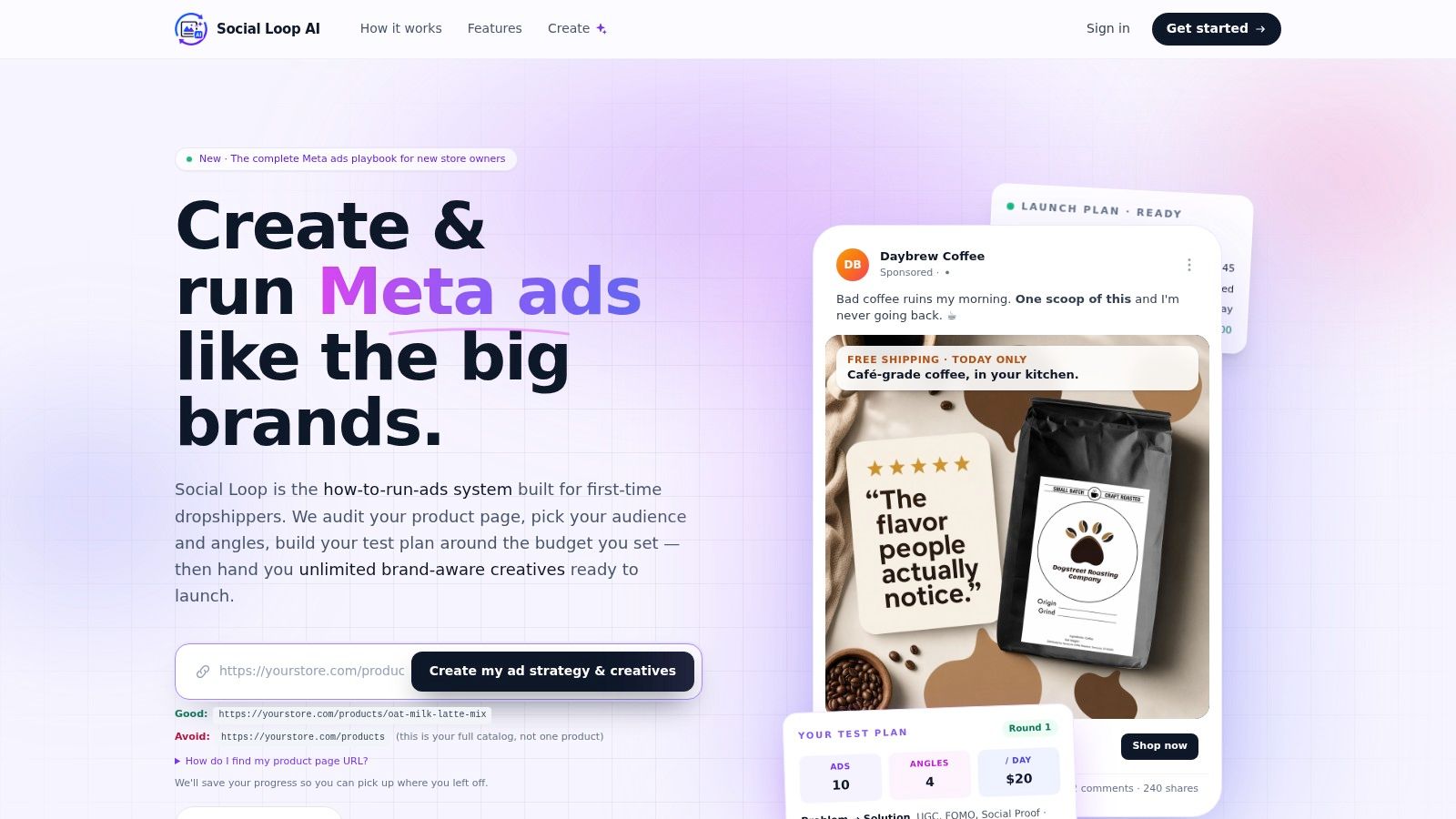
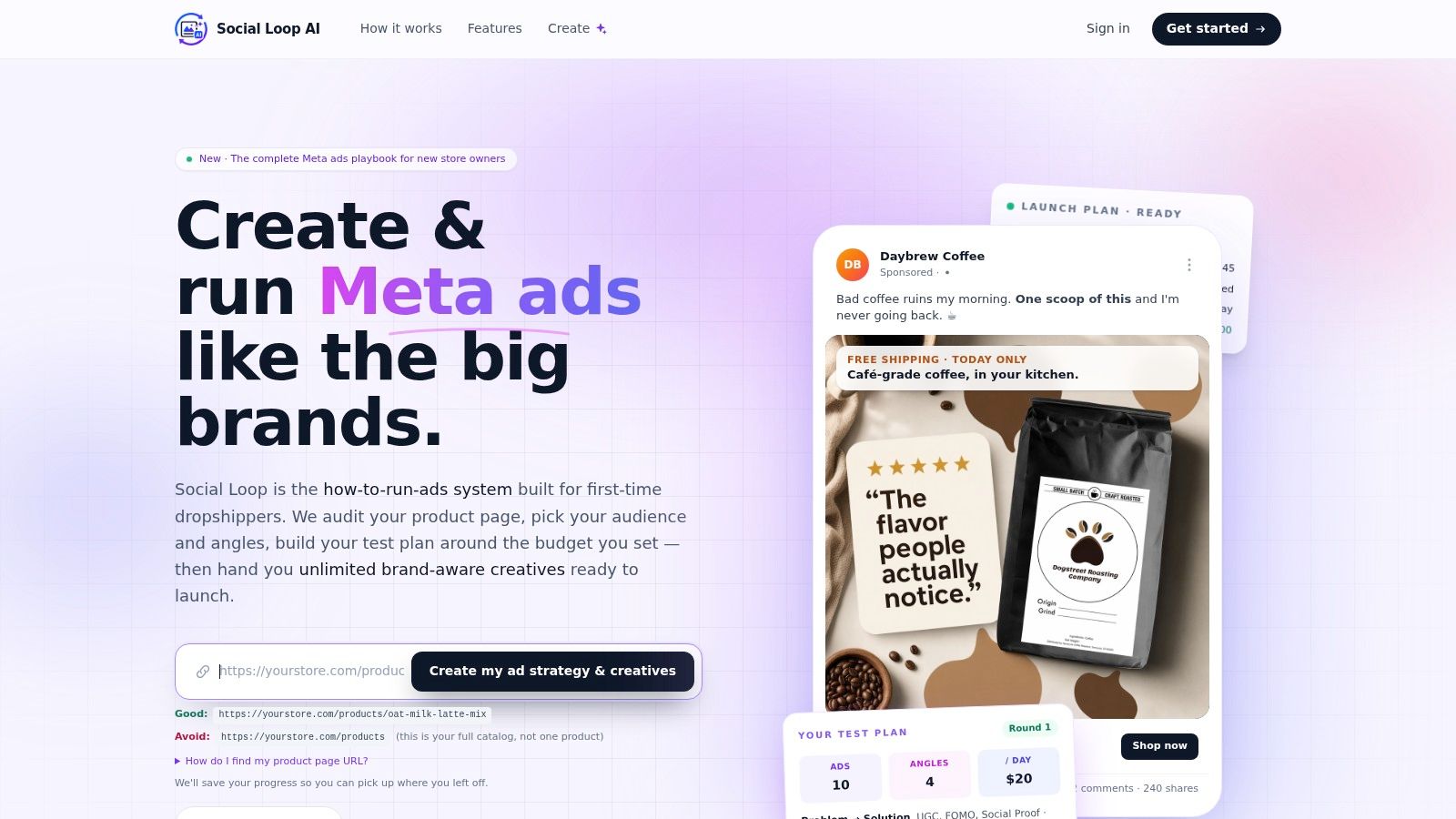
One practical option for this workflow is Social Loop AI, which audits a product URL, scores landing-page readiness, and writes pasteable copy fixes before launch. If you want a deeper breakdown of page-level conversion issues, this guide on landing page conversion optimization is a useful companion.
Pasteable fixes beat vague advice
Many tools falter at this point. They identify issues but leave the founder with more homework. A useful system should produce edits that can be applied immediately.
That means specific outputs such as:
- A replacement headline built around the strongest customer outcome
- Short benefit bullets that translate features into reasons to buy
- Trust-building microcopy near the add-to-cart button
- Angle-aligned wording so the page matches the ad concept
That last point matters more than most beginners realize. If the ad leads with convenience but the page talks only about materials, the click feels disjointed. Good pre-launch auditing closes that gap before money hits the account.
Building Your AI-Powered Ad Strategy
A product page tells you what you sell. Strategy tells you why someone should care right now. Those aren't the same thing.
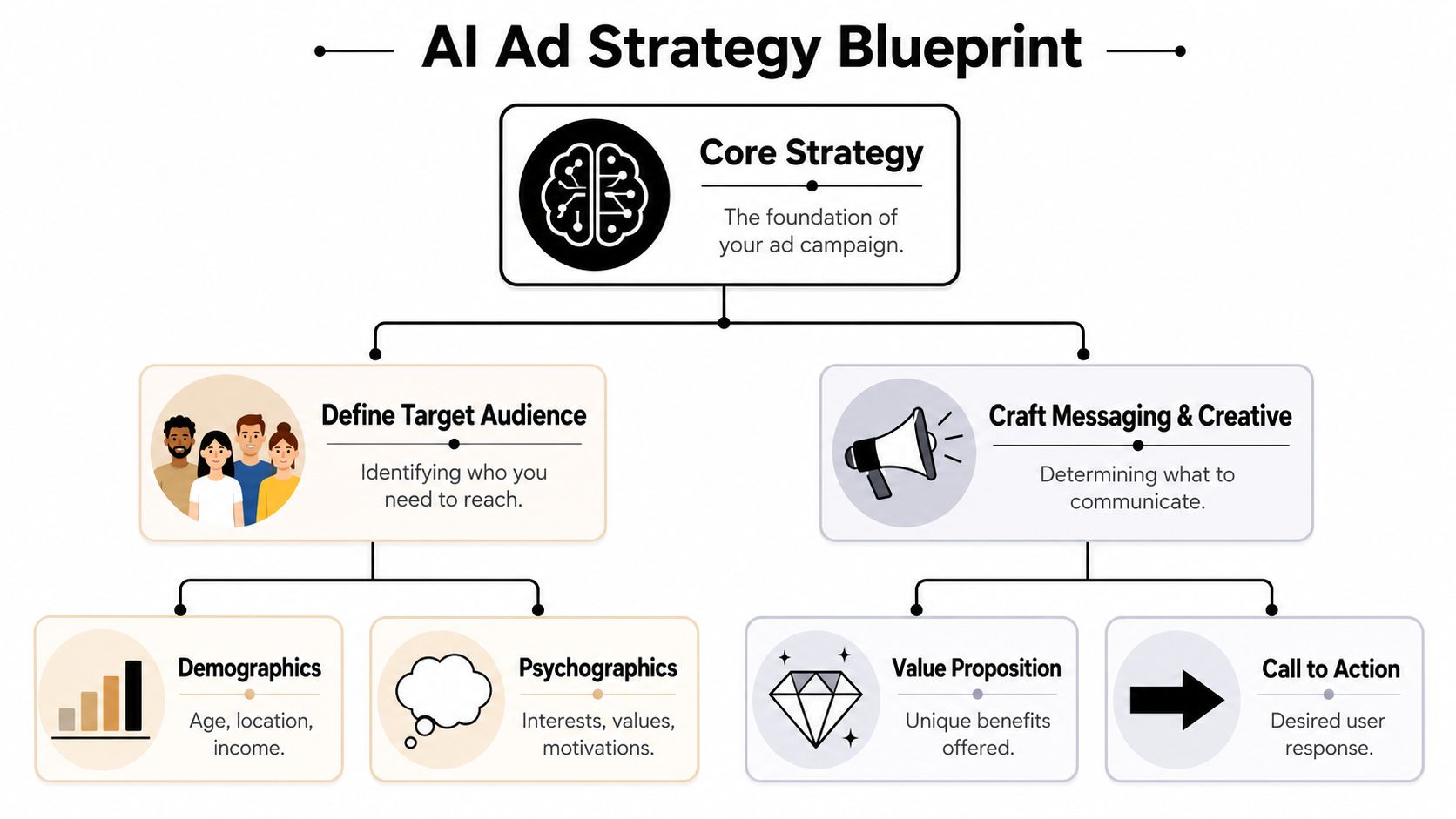
Most new advertisers describe the item and stop there. A better approach is to extract the buyer logic behind it. Who wants this first. What frustration do they already feel. What desire makes them stop scrolling. An AI ads creator is useful here when it translates product data into a buyer profile and a short list of testable ad angles.
Start with the buyer, not the broad audience
Founders often say things like “this product is for everyone” or “women aged 25 to 44.” That's not a buyer profile. That's a targeting placeholder.
A usable profile goes deeper. It asks:
- What are they already trying to fix?
- What have they likely bought before?
- What would make them dismiss this product?
- What language would sound native to them?
That's the difference between broad targeting and a real angle. If you sell a posture product, one buyer may care about back discomfort after long desk hours. Another may care about confidence and appearance. Same product. Different purchase motive.
If you need help structuring that thinking, this guide to buyer persona definition is useful because it forces the product into a clearer customer story.
Pick angles that compete with the scroll
Once the buyer is defined, the next job is selecting ad angles. An angle is the framing that gives the product urgency and relevance.
Here are common ones worth testing:
- Problem to solution. Show the pain clearly, then present the product as relief.
- UGC-style proof. Make the ad feel like discovery from a real person, not a polished brand lecture.
- Social proof. Lean on validation and visible adoption.
- FOMO. Focus on timing, scarcity, or the cost of waiting.
- Identity. Tie the product to the kind of person the buyer wants to be.
Not every product needs all of them. Beginners usually do better with a short set of distinct angles than a pile of near-duplicates.
The strongest early campaigns don't try to find the perfect ad. They try to learn which story the market responds to.
A simple angle selection model
Use this decision lens before generating creatives:
| If the product wins on | Start with this angle |
|---|---|
| Solving a clear frustration | Problem to solution |
| Showing real-life use | UGC |
| Trust and validation | Social proof |
| Timing or trend relevance | FOMO |
| Personal transformation | Identity |
A founder launching a kitchen gadget shouldn't test five versions of the same “buy now” message. They should test whether convenience beats giftability, whether proof beats novelty, and whether the buyer responds more to frustration relief or aspiration. That's strategy. The creative comes after.
Generating High-Performance Ad Creatives at Scale
Once the strategy is clear, generation gets easier and better. This is the part many might envision when they hear AI ads creator, but the output only becomes valuable when each creative has a job.
A batch of ads should not be ten random images with slightly different captions. It should be a test set. Each ad needs a defined angle, a target objection, and a reason to exist next to the others.
Why batches beat one “perfect” ad
Founders often overinvest in a single creative. They tweak colors, swap headlines, second-guess every word, and launch one ad they've emotionally attached themselves to. That slows learning.
A stronger workflow generates multiple test-ready assets at once, each linked to a different hypothesis. One ad might lean on a sharp hook. Another may focus on demo clarity. A third may tackle skepticism directly. You're not asking one asset to do every job.
The available evidence supports AI creative performance when used well. A LinkedIn summary of research on GenAI ad creatives reports that GenAI-created ad creatives achieved a 19% higher click-through rate than human-designed ones, and that the advantage was strongest when creative constraints were removed. The same source also notes that disclosing GenAI usage reduced effectiveness by approximately 32%.
What high-utility creative batches include
A useful batch usually mixes variation across several dimensions at once:
- Hooks that attack different motivations
- Visual structures such as product close-up, before-and-after, or lifestyle context
- Copy lengths for fast scroll-stopping versus more explained persuasion
- CTA phrasing that matches the level of buyer intent
- Objection coverage like quality concerns, ease of use, or value
That's why templates matter, but only when they're tied to strategy. A good reference point for thinking through layouts and messaging combinations is this collection of ad templates for Facebook.
Brand-aware doesn't mean overdesigned
One of the hidden trade-offs in AI creative generation is that the model can make ads too polished, too stylized, or too self-conscious. The image becomes the point instead of the offer. That's a problem because attention and persuasion aren't the same thing.
A practical review process should ask:
- Does the first second communicate the product or the angle?
- Does the visual support the hook, or distract from it?
- Does the copy sound like a buyer-facing message, not an AI writing demo?
Good AI creative should feel intentional, not impressive.
The tagging layer is where scale becomes useful
The reason scale helps isn't just volume. It's organization. When every generated ad is tagged by angle, audience, and objection, you can learn from the results instead of guessing after the fact.
For example:
| Creative tag | What you learn if it works |
|---|---|
| UGC + ease of use | Buyers respond to relatability and simplicity |
| Problem to solution + pain relief | The product wins on urgency |
| Social proof + premium value | Trust matters more than novelty |
| Identity + lifestyle aspiration | The purchase is partly emotional |
Without that tagging, a batch is just content. With it, the batch becomes a structured test environment.
Launching and Optimizing Your AI-Driven Campaign
The scariest moment for a first-time founder is usually not making the ads. It's clicking publish and wondering whether the budget is about to disappear into noise.
That fear gets worse when there's no plan for what happens after launch. A campaign should tell you something even when the first round doesn't produce sales. That only happens if the launch is built as a sequence of tests rather than a one-shot gamble.
A simple campaign cycle helps keep decisions clean.
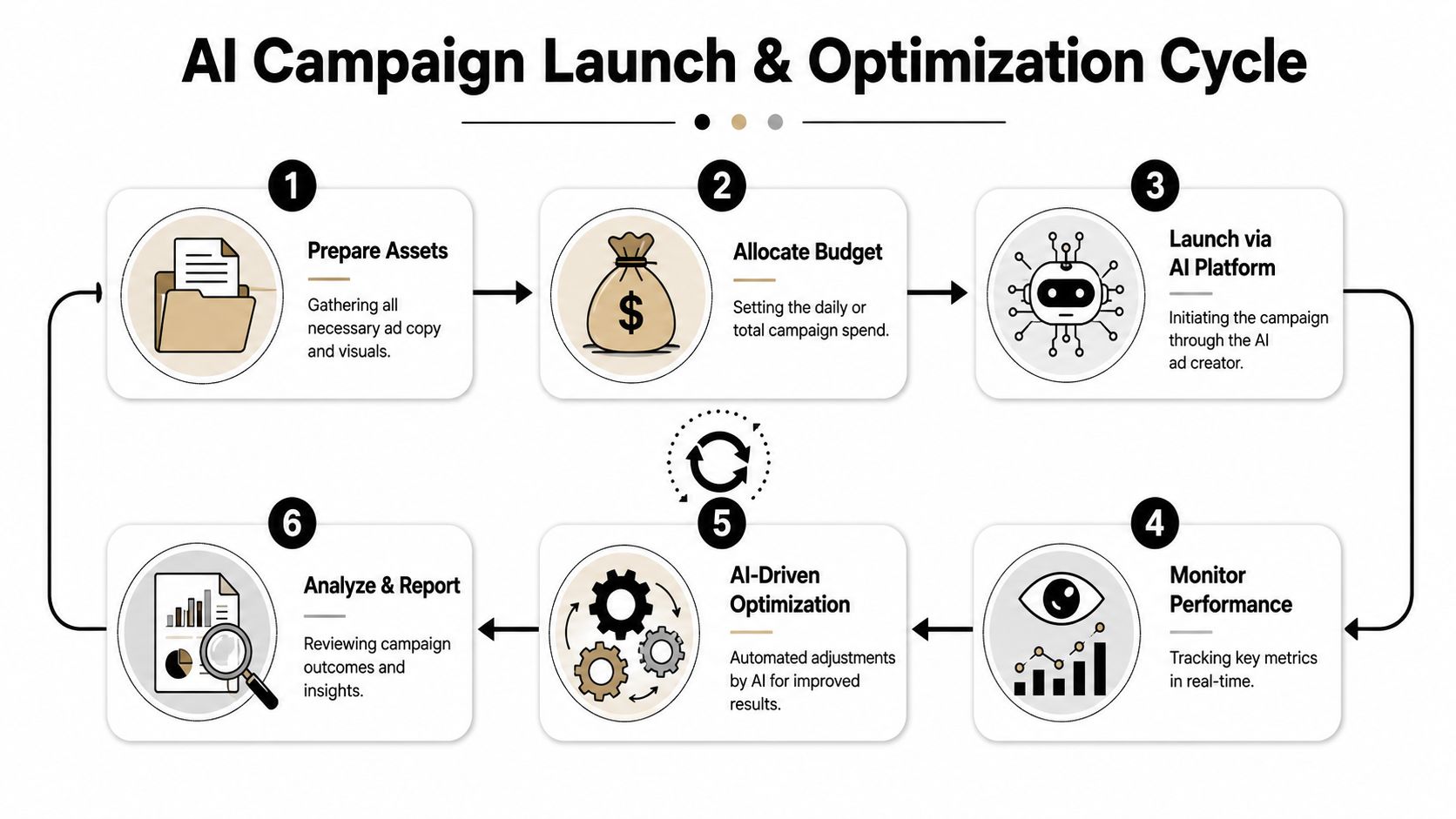
Turn budget into rounds, not one big bet
Beginners often ask how much budget they need. The more useful question is how to divide the budget into learnable tests.
A practical launch does a few things:
- Limits variables early so the result is interpretable
- Gives each angle enough room to show whether it can earn attention
- Separates weak messaging from weak execution
- Preserves budget for round two, where the real refinement happens
Think in rounds. The first round is for signal. The second is for concentration. The third is for expansion into stronger variants and cleaner winners.
What to monitor after launch
You don't need a complicated dashboard on day one. You need a few inputs that help you decide whether the issue sits in the creative, the offer, or the page.
Track practical signals such as:
| Signal | What it usually indicates |
|---|---|
| Strong click interest but weak conversion | The page or offer likely breaks the promise |
| Weak click interest across angles | The messaging or visual hook isn't landing |
| One angle clearly outperforms others | The buyer motive is becoming visible |
| Strong engagement but poor buying intent | The ad is interesting without being persuasive |
Later, AI systems can help compress this analysis. According to Amra & Elma's roundup of AI ad performance research, AI-powered multivariate creative testing reduces time-to-insight by 80.6%, from 21.6 days to 4.2 days, saving an average of 14.3 hours per campaign. The same source says AI tools can predict creative success with over 90% accuracy before launch, compared with 52% for human judgment alone.
Close the loop with logged results
After launch, the system only improves if you feed it real outcomes. That means logging which angle ran, what the ad looked like, how the click behavior looked, and whether the landing page converted.
Later in the campaign, video becomes useful for diagnosing message fit and creative structure. This walkthrough is a good example of the kind of thinking founders need when moving from creation to live execution:
Once results are logged, optimization decisions become much simpler:
- Scale the angle that keeps winning across multiple creatives
- Pause ads that lose quickly on the same core message
- Retest when a promising angle had weak execution
- Rewrite the page if clicks arrive but purchase intent collapses
The point of optimization isn't to rescue every ad. It's to identify where the campaign already wants to go.
The founder's job at this stage changes. You're no longer making isolated creative choices. You're managing evidence. That's the shift that makes paid social feel less chaotic.
Conclusion Your New Role as an Ad Strategist
A good first campaign doesn't start with “make me an ad.” It starts with “tell me what needs to be true before traffic arrives.” That's the practical difference between using AI as a novelty and using it as a working system.
The strongest AI workflows handle the full chain. They inspect the landing page, surface weak copy, define the buyer, select angles, generate a structured batch of creatives, and help interpret what happens after launch. That's what makes an AI ads creator useful for a solo founder. It reduces the number of expensive decisions you have to make blindly.
This shift is already happening across the industry. According to IAB's report on the widening AI gap in advertising, 83% of ad executives report that their company has deployed AI in the creative process in 2026. The same report says AI saves marketers an average of 13 hours per week, and that AI-generated ads showed a 0.76% click-through rate compared with 0.65% for human-made ads.
That doesn't mean AI replaces judgment. It means judgment gets used where it matters most.
You still decide what your brand should sound like. You still choose which customer pain point is worth leaning into. You still decide whether a winning angle fits the business you're building. But you don't have to spend your time stitching together copy drafts, rough visual concepts, and scattered test notes without a system.
This is a significant upgrade for a first-time founder. You stop acting like a person trying random ads and start acting like a strategist running controlled experiments. Bigger brands have teams for this. Smaller brands can now build a similar process with software.
If you're launching your first product, that's the mindset worth keeping. Don't ask AI to magically “make ads that convert.” Ask it to help you make better campaign decisions, one stage at a time.
If you want a practical way to go from product URL to launch plan, Social Loop AI is built for that exact workflow. It helps first-time e-commerce founders audit the page, define buyer angles, generate brand-aware creatives, and turn campaign results into the next testing decision without needing an agency.