Blog
10 Social Media Post Ideas to Drive Sales in 2026
Published June 17, 2026
Staring at a blank content calendar usually means two things at once. You know you need consistent posting, and you also know random posting won't move products. For a new ecommerce founder, that's a frustrating place to sit. You don't need more vague advice about "being authentic" or "showing up."
You need social media post ideas that connect to buying psychology.
That matters more now because social media isn't a side channel anymore. It's a mass-market environment with about 5 billion social media users worldwide in 2023, according to Statista, and major markets already treat it like a serious advertising channel. If your posts are generic, they disappear into a very crowded feed. If they're built for the right audience, the right platform, and the right angle, they can pull attention, trust, and sales without requiring a huge team.
This guide gives you 10 practical post types that early-stage brands can use. Each one is grouped by the marketing framework behind it, so you get both the idea and the reason it works. You'll also get templates, examples, and the trade-offs that matter if you're dropshipping, running a Shopify store, or testing your first winning product.
Let's turn that empty calendar into something useful.
Table of Contents
- 1. Problem→Solution Posts
- 2. User-Generated Content Posts
- 3. Social Proof and Testimonial Posts
- 4. FOMO Posts
- 5. Identity and Aspiration Posts
- 6. Educational and How-To Posts
- 7. Trending Audio and Sound Posts
- 8. Behind-the-Scenes Posts
- 9. Comparison and Alternative Posts
- 10. Interactive and Engagement Posts
- 10 Social Media Post Ideas Comparison
- From Ideas to Implementation Your Next Steps
1. Problem→Solution Posts
The cleanest sales post usually starts with friction. A bad chair. Acne that won't calm down. A dog bed that slides across the floor. When the buyer feels seen in the first line, the product earns attention instead of begging for it.
For a dropshipping founder, this is one of the most reliable social media post ideas because it gives the product a job. You're not just showing a portable blender or posture corrector. You're showing what it fixes in daily life.
Lead with the pain, then show the fix
A furniture seller could open with, "Your desk setup is wrecking your shoulders by 3 PM." A skincare brand could say, "You don't need a 10-step routine. You need one that helps calm angry skin before work." A travel brand selling packing cubes could lead with, "Half your suitcase space disappears because your clothes aren't organized."
The post structure is simple:
- Problem hook: Name the irritation in plain language.
- Emotional cost: Show what that problem affects, such as comfort, confidence, or time.
- Product payoff: Demonstrate the fix fast.
- Proof layer: Add a review, demo, or before-and-after style visual.
What doesn't work is vague pain. "Tired of bad products?" is too broad. "Sick of your laptop stand wobbling during calls?" is specific enough to stop the scroll.
Practical rule: If your hook could fit any product in your category, it isn't sharp enough yet.
A usable template:
"If you're dealing with [specific problem], this is the part most brands skip. [Product name] was built to help with [specific outcome] without [common frustration]."
If you're unsure which pain point to use, start with support tickets, product reviews, DMs, and the exact phrases people use before they buy. The strongest Problem→Solution posts usually sound a lot like customer language, not copywriter language.
2. User-Generated Content Posts
A founder launches a product, posts polished brand photos for two weeks, and gets polite likes with weak sales. Then one customer uploads a shaky 14-second clip using the product at home, and that post drives saves, comments, and purchases. That pattern shows up all the time in e-commerce because buyer trust rarely starts with perfect lighting. It starts with believable use.
UGC works under a simple framework: relatability leads, product proof follows. The goal is not to make the product look expensive. The goal is to help a new buyer picture it in their own routine, with their own space, hands, and expectations.

Post real use cases people can copy
If you sell a massage gun, show someone using it on the couch after a workout, while watching TV, or before bed. If you sell apparel, collect mirror videos, fit checks, and quick notes on fabric, sizing, and how it feels after a full day. If you sell kitchen tools, ask for an unboxing and one simple recipe or task, not a polished mini commercial.
The strongest UGC usually fits one of these post types:
- First-use reaction: "I bought this for travel and didn't expect it to fit this much."
- Routine integration: Show where the product appears in a normal day.
- Mini review: A customer explains what they liked, what surprised them, and who it suits.
- Use-case transformation: Show the drawer, counter, desk, or bag before and after the product is in place.
Here is the trade-off. High polish can raise perceived brand quality, but it often lowers trust if every post feels scripted. Raw customer footage can look less premium, yet it usually performs better at the top of the funnel because it feels honest. Strong brands use both. They lead with UGC to earn attention, then retarget with cleaner product creatives and, later, urgency angles like limited-time offer ads that push hesitant shoppers to buy.
What hurts performance is over-directing the customer. A rigid script gives you tidy footage and weaker credibility. Ask for three things instead: show the product in use, mention one specific detail you noticed, and record in natural light if possible.
A simple template:
"Show how you use [product] during [real situation]. Mention one thing that felt better, easier, or more convenient than expected."
If you need a repeatable process for collecting clips, handling permissions, and turning customer submissions into a steady content pipeline, this guide on how to make UGC is useful.
Ask for proof of use, not praise. A buyer showing their real routine usually sells harder than a generic compliment.
3. Social Proof and Testimonial Posts
UGC shows one person's experience. Social proof shows the pattern. That's the difference.
When a store is new, buyers don't just ask whether the product looks good. They ask whether the store is real, whether shipping will be a mess, whether the item will match the photos, and whether anyone else has already taken the risk. Social proof posts answer those objections quickly.
Stack proof around one objection at a time
The strongest testimonial posts aren't random praise collages. They're organized around one buying concern.
If customers worry about quality, post three short reviews that mention durability. If they're unsure about sizing, use testimonial screenshots that talk about fit. If you're selling a higher-ticket desk chair, post reviews focused on comfort during long workdays.
Try formats like these:
- Quote card series: One strong line per slide with the buyer's first name or initials.
- Review screenshot with product demo: A review overlaid on a clip of the item being used.
- Objection-based carousel: "Worried it won't fit?" followed by several customer comments addressing that exact issue.
- Founder voiceover post: Read a real customer comment and show the product in use.
You can also adapt social proof for paid and organic creative together. The same trust-building angle often works in both places, especially for cold traffic. This walkthrough on social proof ads is a good reference if you want to turn testimonials into conversion-focused creative instead of just nice-looking posts.
What doesn't work is fake polish. Cropping out the rough edges of a review can make it look invented. Keep enough of the original context that people believe it came from a real buyer.
4. FOMO Posts
Urgency can drive action fast, but it's also one of the easiest angles to abuse. New founders often overuse it. Every post becomes "ending soon," and buyers stop believing any of it.
The fix is simple. Only use FOMO when something is scarce, expiring, limited, or exclusive.
Urgency works only when it's believable
If you're running a genuine weekend bundle, say that. If you have a small batch of a limited colorway left, say that. If early access for email subscribers ends tonight, that's a good post. If nothing is changing except your caption, skip the urgency angle.
For ecommerce brands, these FOMO post formats work well:
- Deadline post: "Free gift with purchase ends tonight."
- Stock-sensitive post: "The olive set is nearly gone in the most popular sizes."
- Launch window post: "First access closes tonight for the new drop."
- Seasonal urgency post: "Order this week if you want it in time for Father's Day."
What usually hurts performance is fake countdown energy without a clear reason to act. A founder posts "Don't miss out" with a plain product photo and no context. That feels like pressure, not value.
Tie urgency to a concrete benefit and a real event. If you want ideas for structuring this angle in a more trustworthy way, these examples of limited-time offer ads are a useful model.
Scarcity is persuasive when the buyer can verify it. It's irritating when they can't.
Also keep frequency under control. FOMO is strong because it's occasional. Used every day, it trains your audience to wait or ignore you.
5. Identity and Aspiration Posts
Some products solve a clear problem. Others sell belonging, taste, discipline, or self-image. That's where identity-based content earns its place.
A minimalist wallet isn't only about holding cards. A ceramic tumbler isn't only about coffee. A matching activewear set isn't only about fabric. People buy products that fit the story they tell themselves about who they are, or who they're becoming.
Sell the kind of person your buyer wants to be
If you sell a stainless steel water bottle, one angle is insulation and leak-proof design. Another is identity. "For people who consistently bring their water bottle everywhere." If you sell desk accessories, you might target creators who care about a clean workspace and focused routine.
A few identity hooks that work:
- Discipline-based: "Built for people who show up even when motivation disappears."
- Taste-based: "For the ones who want their setup to look as sharp as it works."
- Value-based: "Made for parents who'd rather buy once than replace things twice."
- Lifestyle-based: "For carry-on travelers who pack light and move fast."
This is one of the trickier social media post ideas because founders often drift into empty aspiration. "Live your best life" says nothing. "For runners who train before the city wakes up" creates a picture the buyer can step into.
If the identity is too elite, buyers feel excluded. If it's too broad, nobody feels addressed. The sweet spot is specific enough to feel personal and open enough to feel attainable.
6. Educational and How-To Posts
Teaching works well when buyers need context before they can judge the product. That includes skincare, fitness tools, travel gear, kitchen gadgets, pet products, and home organization.
You don't need to sound like a textbook. You need to answer the question your buyer was already about to type into search or ask in comments.
Teach the category, not just the product
A good educational post doesn't open with "Buy this." It opens with a problem the audience wants explained. If you sell pillows, post "Signs your current pillow is messing with your sleep position." If you sell resistance bands, post "Three reasons home workouts feel inconsistent, and how to fix each one." If you sell meal-prep containers, post "Why your lunches leak, and the container features that matter."
Because short-form content is so dominant, educational posts should usually be compact and visual. One industry roundup notes that 5.24 billion people use social media worldwide in 2026, equal to 64.8% of the global population, and cites video engagement at 2.8x higher than other formats. For practical posting, that means a quick demo or teaching clip often beats a long caption attached to a static image.
Here's a simple example of the format in action:
A useful teaching structure:
- Hook with a mistake: "Knives are often stored in ways that dull them faster."
- Show the better method: Give the fix in a few visual steps.
- Introduce your product naturally: Use it as the example, not the entire point.
- Close softly: Invite the next step without over-selling.
What doesn't work is fake education that's just a sales pitch in disguise. If the viewer learns nothing unless they buy, the content won't earn trust.
7. Trending Audio and Sound Posts
A founder sees a trending sound everywhere, films a quick clip, posts it, and gets views that go nowhere. That usually happens because the post copied the format but skipped the marketing job.
Trending audio works best inside a clear framework. The strongest version here is Attention→Payoff. The sound gets the scroll-stop. The visual payoff earns the watch. The product tie-in gives the post a reason to exist.
This category fits products that show change fast. Cleaning tools, beauty devices, organizers, lighting products, kitchen gadgets, and travel accessories usually have enough visual movement to make the format work. If your product needs a long explanation before it makes sense, trending audio is rarely your best first move.
A few examples:
- A screen cleaner opens on fingerprints and dust, then cuts to a clear finish on the beat.
- A color-changing lamp switches the mood of a desk setup at the exact reveal moment.
- A travel bottle set moves through a fast pack sequence that matches the sound pattern.
- A bag organizer follows a "what's in my bag" trend, with each compartment reveal timed to the audio.
The trade-off is speed versus shelf life. Trends can give you extra reach for a few days, sometimes less. Evergreen product demos usually last longer and convert better over time. Use trending audio for discovery, then support it with posts that explain the product more clearly.
A simple template:
- Hook with the trend: Start with the recognizable audio cue or format.
- Show one sharp product moment: Focus on a reveal, transformation, or satisfying use case.
- Add text that carries the message: State the benefit in plain language.
- Close with context: "For small desks," "for carry-on packing," or "for people tired of tangled cords."
Two practical checks matter here. First, test the post on mute. If the idea falls apart without sound, the creative is too dependent on the trend. Second, ask whether the audio fits the buying mood. Joke-heavy sounds can hurt products that rely on trust, like skincare tools, wellness items, or problem-solving products with a higher price point.
What usually performs poorly is trend-chasing with no brand fit. A random meme might inflate views, but it rarely builds recall, clicks, or purchase intent. Use the trend as the wrapper. Keep the product benefit as the point.
8. Behind-the-Scenes Posts
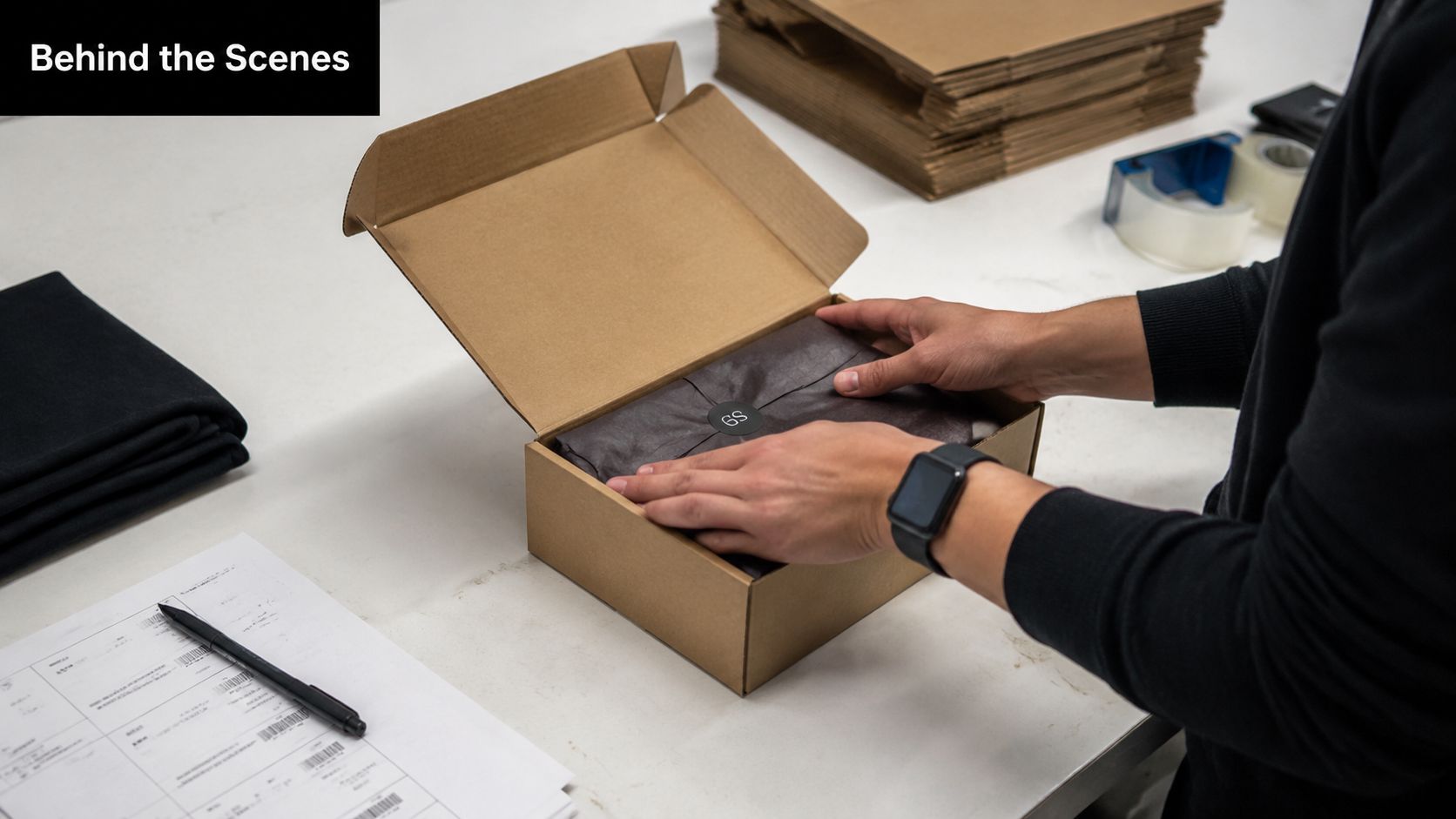
Behind-the-scenes content matters most when buyers still don't fully trust you. That's especially true for new stores, small brands, and dropshippers who need to prove there's a real operation behind the website.
BTS posts don't need to be cinematic. In fact, they usually work better when they're a bit rough.
Show the process that makes you trustworthy
If you package orders yourself, film that. If you check product quality before shipping, show the checklist. If you answer customer emails every morning, talk through the common questions you handle. If you're building a brand around a small product line, show the decisions behind color, materials, inserts, or packaging.
A few BTS angles work particularly well:
- Order prep clips: Packing, labeling, quality checks.
- Founder explanation posts: Why you chose one version over another.
- Workspace snapshots: A real desk, sample shelf, or shipping station.
- Process stories: How returns, replacements, or customer support work.
This category also supports a strong operational angle that many content roundups skip. The bigger opportunity isn't just posting more formats. It's repurposing one core idea across Reel, carousel, Story, and caption in a repeatable system, which is a gap highlighted in this discussion of social media post idea workflow design.
The most believable behind-the-scenes content connects the process to buyer benefit. Don't just show the packing table. Explain why that process helps the customer.
If you're dropshipping and don't physically handle fulfillment, don't fake warehouse footage. Show what you do control, such as product checks, support workflows, creative testing, or your own review of new samples.
9. Comparison and Alternative Posts
Comparison content works because it reduces decision friction. Buyers are already comparing you against something. Another brand, an Amazon listing, a generic version, or doing nothing at all.
If you don't help frame that comparison, the buyer will do it alone.
Make the decision easier
A strong comparison post doesn't need to attack competitors. It just needs to help the customer evaluate trade-offs clearly.
If you sell a laptop stand, compare adjustable versus fixed-angle use cases. If you sell storage bags, compare rigid boxes with soft-fold solutions for small apartments. If you sell skincare tools, compare a rushed routine with a simpler one that fits morning time pressure.
A few reliable approaches:
- Against generic alternatives: "Why people replace flimsy drawer organizers."
- Against old behavior: "What your countertop looked like before versus after."
- Against your old version: "What changed in Version 2 and why."
- Against common category assumptions: "Why bigger isn't always better for carry-on luggage."
The key is honesty. Every good product has trade-offs. If your product is compact, say it's designed for portability rather than bulk storage. If it's premium-looking, explain the use case where that finish matters. Buyers trust comparison posts more when you acknowledge what the product is for, and what it isn't for.
What fails is exaggerated side-by-side messaging that feels like courtroom copy. Stay factual, visual, and calm. The goal is to make choice easier, not to sound aggressive.
10. Interactive and Engagement Posts
A founder posts a product video, gets a burst of comments, and treats it like vanity. A smarter move is to treat those comments like customer interviews you did not have to schedule.
Interactive posts work because they do two jobs at once. They give the algorithm a reason to keep distributing the post, and they give you sharper language for future creative, product pages, and offers. For a new store, that feedback loop matters more than squeezing a hard sell into every upload.
Use questions that produce usable answers
The best engagement prompts stay close to buying behavior or product use. If you sell bedding, ask which color should return next. If you sell gym accessories, ask what gets skipped first during a busy week. If you sell pet products, ask which daily frustration owners want to fix first.
Keep the question specific enough that the answers tell you something you can use.
Good formats include:
- Choice posts: "Which would you pick for a weekend trip: black or sand?"
- Pain-point questions: "What is the most annoying part of keeping cables organized?"
- Identity prompts: "Are you an overpacker or a one-bag traveler?"
- Product feedback asks: "What would you change about your current setup?"
Each of those fits a framework. Choice posts reduce decision friction. Pain-point questions surface Problem to Solution angles. Identity prompts tap aspiration and self-image. Product feedback asks help you refine positioning before you spend more on ads.
Reply fast when people answer. The post is only useful if the conversation turns into insight.
There is a trade-off here. Broad questions can pull in more comments, but vague answers are hard to use. Narrow questions usually get fewer replies, but the replies are better. For early-stage dropshipping brands, I would take 25 useful comments over 200 empty ones every time.
What fails is low-intent engagement bait. "Comment YES if you agree" may pad the count, but it rarely gives you anything you can turn into better hooks, stronger offers, or product improvements.
A simple template:
Ask: "What is the hardest part about [task related to product]?"
Follow-up in comments: "Is that because of time, storage, cost, or something else?"
Next post: Build a Problem to Solution post around the strongest pattern in the replies.
10 Social Media Post Ideas Comparison
| Post Type | Implementation Complexity 🔄 | Resource Requirements ⚡ | Expected Outcomes 📊 | Ideal Use Cases 💡 | Key Advantages ⭐ |
|---|---|---|---|---|---|
| Problem→Solution Posts | 🔄 Moderate, requires target-audience research and testing | ⚡ Low–Medium, concise copy + simple visuals; easy A/B testing | 📊 High conversion and clear CTAs; fast problem-to-action path | 💡 Best when product solves a clear, common pain (DTC product launches, ads) | ⭐ Directly addresses buyer need; builds trust and urgency |
| User-Generated Content (UGC) Posts | 🔄 Moderate, needs collection, permissions, and curation workflows | ⚡ Low, user content reuse; time for sourcing and editing | 📊 Very high engagement and social proof; boosts conversions | 💡 Ideal for social platforms (TikTok, IG) and early social-proof building | ⭐ High authenticity and cost-efficiency versus produced ads |
| Social Proof & Testimonial Posts | 🔄 Low, compile and design review cards or carousels | ⚡ Low, existing reviews + simple templates | 📊 Reduces hesitation; increases trust, especially for new buyers | 💡 Use when you have positive reviews, ratings, or milestone metrics | ⭐ Strong credibility signal at scale; easy to produce |
| FOMO (Fear of Missing Out) Posts | 🔄 Low–Medium, coordinate real scarcity/timing and clear messaging | ⚡ Low, simple creatives, timers, email sequences | 📊 Drives immediate conversions and short-term spikes | 💡 Best for flash sales, limited drops, seasonal or inventory-limited offers | ⭐ Creates urgency that converts quickly when authentic |
| Identity & Aspiration Posts | 🔄 High, requires deep brand and buyer-profile alignment | ⚡ Medium, lifestyle content, consistent creative, community effort | 📊 Builds long-term loyalty and lifetime value; slower direct sales | 💡 Ideal for fashion, lifestyle, premium and community-driven brands | ⭐ Strong emotional connection and pricing power |
| Educational & How‑To Posts | 🔄 Medium, needs subject expertise and instructional design | ⚡ Medium, research, tutorials, infographics or video production | 📊 Positions brand as authority; improves shareability and organic reach | 💡 Use for complex products, support reduction, SEO and trust-building | ⭐ Long-term authority and helpfulness that drives retention |
| Trending Audio & Sound Posts | 🔄 Low, requires trend monitoring and fast execution | ⚡ Low–Medium, short-form video production (mobile-ready) | 📊 Rapid organic reach and virality potential; trend-dependent | 💡 Best on TikTok/Reels for Gen Z / short-form campaigns | ⭐ High reach and low cost when executed promptly and authentically |
| Behind‑the‑Scenes (BTS) Posts | 🔄 Low, accessible if operations or team access exists | ⚡ Low, casual filming and staff participation | 📊 Humanizes brand and strengthens trust; supports perceived value | 💡 Great for small brands, artisanal products, and transparency-led messaging | ⭐ Builds authenticity and emotional connection with minimal cost |
| Comparison & Alternative Posts | 🔄 Medium, requires accurate competitive research and careful framing | ⚡ Low–Medium, research + clear comparison visuals | 📊 Clarifies differentiation and can overcome "why you?" objections | 💡 Useful in crowded categories or when switching users from competitors | ⭐ Demonstrates objective advantages when factual and well-presented |
| Interactive & Engagement Posts | 🔄 Low–Medium, design prompts and manage timely moderation | ⚡ Low, native polls/quizzes; community management time | 📊 Boosts engagement, reach, and collects customer insights (indirect conversions) | 💡 Use for market research, community building, and content testing | ⭐ Increases algorithmic favor and yields actionable audience data |
From Ideas to Implementation Your Next Steps
A lot of founders collect social media post ideas the way they collect browser tabs. Everything looks useful, but nothing gets turned into a repeatable workflow. That's the main bottleneck. You don't need endless ideas. You need a system that makes the next post obvious.
Start with three angles, not all ten. If you're a new store with little trust, begin with Problem→Solution, UGC, and BTS. If you already have some customers and reviews, rotate in Social Proof and Comparison posts. If you have a real promotion window, add FOMO carefully. If your product is visual and impulse-friendly, prioritize short-form video formats and trending audio tests.
The bigger shift is to stop thinking in single posts and start thinking in content units. One product angle can become a Reel, a carousel, a Story poll, a testimonial graphic, and a short founder caption. That's where small teams win. They don't create from scratch every day. They adapt one useful idea across formats.
A simple weekly rhythm might look like this:
- Monday: Problem→Solution Reel
- Tuesday: Testimonial carousel
- Wednesday: BTS Story sequence
- Thursday: Educational short video
- Friday: Interactive question post
- Weekend: UGC or FOMO post if there's a real offer
Keep the quality bar focused on clarity, not complexity. The best-performing ecommerce posts often look simpler than founders expect. Clear hook. Real problem. Real use case. Fast proof. Direct CTA. That's enough.
If a post underperforms, don't throw out the angle too quickly. Change the hook first. Then test the visual. Then adjust the audience you had in mind when writing it. A weak post doesn't always mean a weak framework. It often means the message wasn't specific enough.
This also matters because the scale of social has changed how brands create. With billions of users across platforms, and with product discovery increasingly happening in social feeds rather than older search habits, brands that win usually build a library of angle-based creatives instead of relying on one polished brand post every few days. That's a much better model for a first-time dropshipper too. It lowers creative pressure and raises your chances of finding what resonates.
Pick three ideas from this list today. Write one version of each. Turn each into at least two formats. Schedule them for the week, then watch what gets saves, replies, clicks, and product page visits. That's how your content calendar stops being a chore and starts acting like a sales tool.
If you want help turning these ideas into actual posts, Social Loop AI is built for exactly that. It takes your product URL, defines the buyer profile, picks strong angles like Problem→Solution, UGC, Social Proof, FOMO, and Identity, then generates brand-aware creatives and copy you can use for both ads and organic social. For a new founder, it's one of the fastest ways to go from blank calendar to a practical posting plan without hiring an agency.