Blog
Marketing Plans Software: A Guide for Ecommerce in 2026
Published June 28, 2026
You've finished your store. The product page looks clean. The images are live. Checkout works. Then the hard part starts.
You open Ads Manager and realize you still don't know what to run. Who's the buyer? What angle should lead the ad? Is your page even ready to convert paid traffic? Most new store owners don't get stuck because they're lazy. They get stuck because they're trying to jump straight from product page to paid campaign without a planning system.
That's where marketing plans software comes in. Not as some enterprise dashboard built for a fifty-person team, but as the tool that helps a solo founder stop guessing. Used well, it helps you decide what to say, where to spend, what to launch first, and how to tell if the campaign deserves more budget.
The category is growing fast because businesses now treat planning as part of execution, not a separate admin task. The global digital marketing software market was valued at USD 112.39 billion in 2025 and is projected to reach USD 130.07 billion in 2026, growing at a 16.38% CAGR, according to Market Research Future's digital marketing software market report. That matters because it shows this isn't optional anymore. Even small stores are moving toward software that helps them plan with data instead of instinct alone.
Table of Contents
- Why Your New Store Needs More Than Just a Product
- What Is Marketing Plans Software Really
- Core Features That Save New Store Owners Time and Money
- How to Choose the Right Software for a Small Ecommerce Store
- The Missing Link Most Marketing Software Ignores
- From Product URL to Launch Plan with Social Loop AI
Why Your New Store Needs More Than Just a Product
A product isn't a marketing plan. That sounds obvious, but new dropshippers learn it the expensive way.
A store owner finds a useful product, writes a decent description, imports reviews, and feels ready to launch. Then the questions pile up. Should the first ad focus on the problem or the transformation? Should the budget go to one audience or several? Is the page strong enough for cold traffic, or will every click bounce because the offer still feels generic?
That's where many first campaigns burn out. Not because the item is bad, but because the store owner is trying to build strategy in real time while money is already leaving the account.
The real cost of no plan
Without a planning tool, most beginners juggle everything in scattered places:
- Ideas in notes apps that never become a real campaign structure
- Budgets in spreadsheets that don't connect to results
- Creative concepts in their head instead of a repeatable testing plan
- Performance checks inside ad platforms without a bigger view of what the campaign was supposed to do
The result is usually confusion, not clarity. You might launch three ads, but you still won't know whether the problem was the angle, the audience, the landing page, or the offer itself.
Practical rule: If you can't explain why each ad exists before launch, you're not running a plan. You're buying guesses.
A blueprint changes how you spend
Good marketing plans software gives structure to the messy middle between “I have a product” and “I have a working campaign.” It helps you organize the basics first:
| Problem new owners face | What planning software helps with |
|---|---|
| Unsure who the ad is for | Defines audience and buyer profile |
| Unsure what message to test | Organizes angles and campaign themes |
| Unsure how much to spend | Maps budget into a testing plan |
| Unsure what worked | Tracks results against the original plan |
For a new ecommerce founder, that shift is huge. You stop treating ads like lottery tickets and start treating them like tests with a purpose.
That mindset matters more than any single feature. A winning store usually doesn't begin with a viral ad. It begins with a clear plan that keeps you from wasting your first budget on random creative and weak assumptions.
What Is Marketing Plans Software Really
The phrase "marketing plans software" typically brings to mind a complicated corporate tool full of charts, approvals, and jargon. For a small store, the better analogy is simpler. It's your business GPS.
A paper map can show roads. A GPS helps you choose a route, avoid bad turns, estimate the trip, and adjust when conditions change. That's the difference between a basic task manager and software built for planning real campaigns.
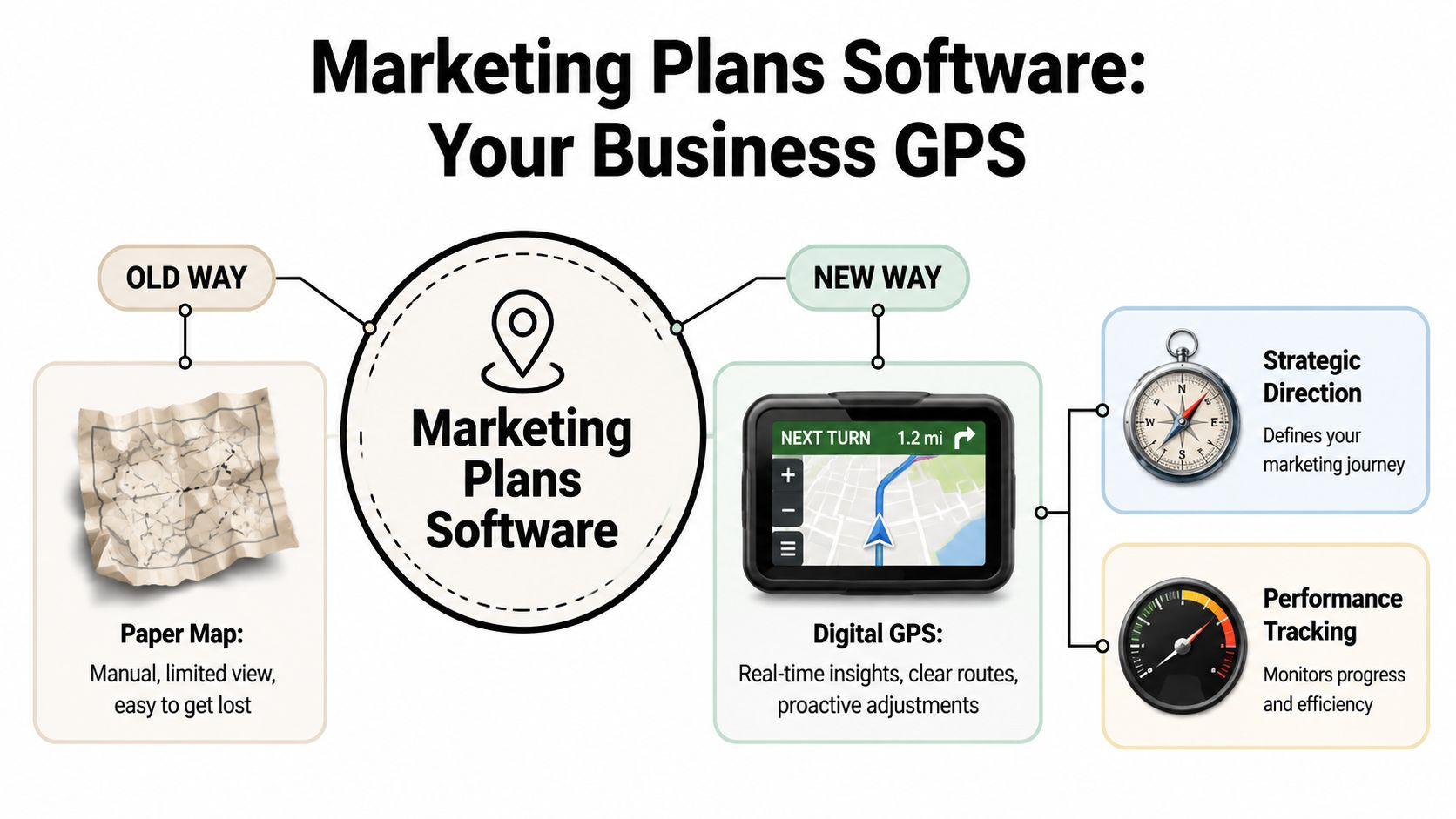
A GPS instead of a paper map
A simple tool like Trello, Notion, or a spreadsheet can tell you what tasks exist. It can't always tell you whether those tasks add up to a sensible launch.
That's the key distinction. A task board might say:
- write ad copy
- make creatives
- set audience
- launch campaign
Useful, yes. Strategic, not necessarily.
Marketing plans software goes one layer deeper. It should help you answer questions like:
- What is this campaign trying to prove?
- Which angle comes first?
- How should budget be split across tests?
- What result would count as success or failure?
- What should happen next if one angle works better than another?
The three jobs it should handle
The easiest way to understand the category is to break it into three jobs.
Strategic planning
This is the thinking layer. The software helps you define the offer, audience, message, budget logic, and campaign structure before launch. For a beginner, this is often the missing piece.
If the strategy layer is weak, execution becomes expensive. You can publish ads quickly and still learn very little.
Campaign execution
This is the doing layer. It includes workflows, calendars, approvals, asset organization, and launch coordination. In a solo business, “approval flow” might mean keeping your copy, hooks, and creatives organized so you can launch without chaos.
Execution tools matter because speed matters. If every ad test feels like rebuilding the campaign from scratch, you'll move too slowly to improve.
A good plan should make your first campaign feel less like improvisation and more like assembling a kit.
Performance analysis
This is the learning layer. The software should help you compare the original plan with the actual outcome. Not just “did the ad get clicks,” but “did this angle outperform the others” and “should this audience get another round of testing.”
That's why the best tools feel practical. They don't just store work. They help you make the next decision with more confidence than the last one.
For a new store owner, that's the value of marketing plans software. It doesn't magically make people buy. It gives you a structured way to plan, launch, and learn without getting buried in random tools.
Core Features That Save New Store Owners Time and Money
A lot of software looks impressive in a demo and becomes useless two days later. New store owners don't need the longest feature list. They need features that remove expensive guesswork.
The first one to look for is forecasting tied to budget decisions. Advanced marketing planning software with AI-powered forecasting can reduce budget waste by 15–20% in multi-channel campaigns by modeling scenarios before you commit spend, according to AI Digital's breakdown of marketing planning software. Even if you're not running a huge multi-channel brand yet, the lesson applies. Planning tools are most valuable when they help you avoid bad spend before launch, not just report it afterward.
Features that reduce expensive guesswork
Here are the features that usually matter most for a small ecommerce operator.
-
Budget planning that connects to likely outcomes
If a tool only lets you record spend after the fact, it's acting like a notebook. A better tool helps you decide how to split a limited budget before launch so you're not stuffing everything into one ad set and hoping. -
Audience organization
New founders often target too broadly or too vaguely. Good planning software lets you map audiences by problem, desire, product awareness, or purchase intent. That gives each creative angle a clearer job. -
Creative planning
This means keeping hooks, offers, visuals, objections, and calls to action tied together. If your system separates copy from strategy, you end up with ads that look polished but feel disconnected. -
Reporting that reflects the original plan
You don't just want numbers. You want context. If you tested two angles and one buyer profile, the software should help you compare those decisions against outcomes without manual detective work.
What matters more than fancy dashboards
Founders often get distracted by visual polish. A beautiful dashboard doesn't help if the tool can't connect planning to action.
Use this quick filter:
| Feature | Why it matters to a new store owner |
|---|---|
| Forecasting | Helps prevent waste before launch |
| Integrations | Reduces manual copying between tools |
| Campaign structure | Keeps tests organized and comparable |
| Reporting | Shows what to repeat, pause, or change |
What's less important early on? Heavy enterprise controls, deep permissions, and layers of approvals that slow a solo operator down.
If you want a broader view of how these systems connect with workflow tools, automation, and campaign operations, this guide to ecommerce marketing automation for growing stores is a useful companion.
The best feature is the one that removes one repeated mistake from your launch process.
That's the standard I'd use. If a feature sounds smart but doesn't save time, reduce waste, or improve decisions, it probably belongs lower on your shopping list.
How to Choose the Right Software for a Small Ecommerce Store
A small store shouldn't buy software the way a large brand buys software. You don't need to manage five departments. You need to launch sensible campaigns without drowning in setup.
That's why I'd choose guided workflows over feature overload almost every time. The market for analytics-heavy tools is expanding fast. The marketing analytics software market stood at USD 4.95 billion in 2024 and is forecast to reach USD 22.43 billion by 2034, expanding at a 16.4% CAGR, with North America holding the largest share in 2024, according to Polaris Market Research on marketing analytics software. For small stores, that means analytics can't be an afterthought. But they still need to be usable.
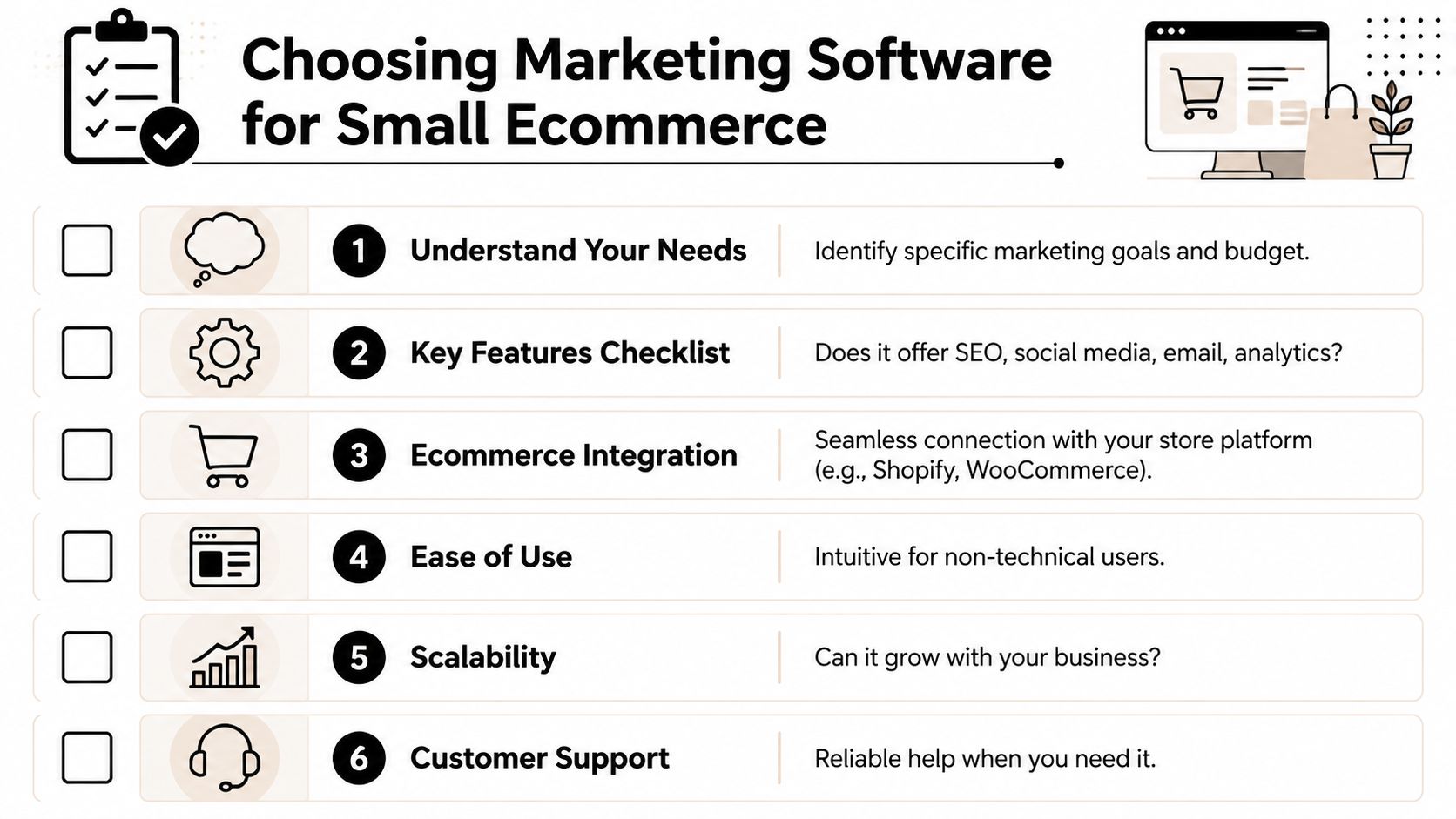
A simple buying checklist
When you compare tools, use this checklist instead of getting dazzled by marketing pages.
-
Ease of use
If you need six tutorials just to set up one campaign framework, you won't stick with it. -
Store integration
It should fit naturally with Shopify or WooCommerce and connect with the channels you use. -
Guided setup
Good software should help you move from product to plan with prompts, templates, or structured flows. -
Analytics you can act on
Data only matters if you know what decision it supports. -
Scalability
The tool shouldn't break the moment you add more products, angles, or campaigns. -
Support quality
Beginners need useful help, not generic documentation.
This short walkthrough may help you think through the evaluation process before you commit:
What a small store can ignore
You can safely deprioritize a few things at the start.
First, don't chase enterprise complexity. You probably don't need advanced role permissions, large-team approval chains, or layers of cross-department resource planning.
Second, don't confuse flexibility with usefulness. A tool that can do everything often asks you to build the system yourself. That's fine for an operations team. It's rough for a solo founder launching a first product.
Buying shortcut: Choose the tool that helps you make better launch decisions in the least amount of setup time.
That usually means simpler software with strong guidance beats powerful software that assumes you already think like an experienced media buyer.
The Missing Link Most Marketing Software Ignores
Most marketing software starts too late.
It assumes you already know your buyer, your angle, your offer framing, and your first creative direction. Then it gives you a calendar, a dashboard, or a campaign workspace. For an experienced team, that's fine. For a first-time dropshipper, that's a gap big enough to kill the launch before the first ad goes live.

The pre-strategy gap
This is the missing stage I see beginners struggle with most. You have a live product page, but you still need answers to a few uncomfortable questions:
- Is the page convincing enough for paid traffic?
- Which emotional angle should lead the ad?
- What objection will stop the click?
- Which benefit deserves the headline?
- What kind of creative matches the product and buyer?
A critical underserved angle is the lack of tools combining product-page auditing with ad-angle generation. Current software rarely offers a landing-readiness score or helps a founder pick proven angles like Problem→Solution, UGC, or FOMO before spending on ads, as discussed in Bain's analysis of underserved small business markets.
That's a serious blind spot. The campaign often fails before targeting even matters because the page and message weren't ready.
Why beginners get left behind
Experienced marketers can fill this gap from instinct and repetition. Beginners can't. They need help translating a product into a campaign concept.
Most generic tools give them an empty container:
- a campaign brief with blank fields
- a content calendar with no strategic guidance
- an analytics view that only helps after spend has already happened
That's why new store owners often end up searching for education outside the software. They piece together strategy from YouTube videos, Discord chats, and blog posts. If you're trying to sharpen that side of your thinking, this article on content marketing and blogging for ecommerce brands can help you understand how messaging gets built before distribution.
If software begins at the campaign stage, beginners still have to invent the strategy alone.
That's the core issue. The market has plenty of management tools. What it lacks is software that starts with readiness, messaging, and angle selection before launch. For first-time founders, that early guidance is often the difference between a controlled test and a confusing waste of money.
From Product URL to Launch Plan with Social Loop AI
The most useful new direction in marketing plans software is simple. Start with what the founder already has, then build the campaign from there.
For a first-time store owner, that starting point is usually a product URL. Not a full creative brief. Not a polished customer research deck. Just a live page and the desire to test the product without wasting the first budget.
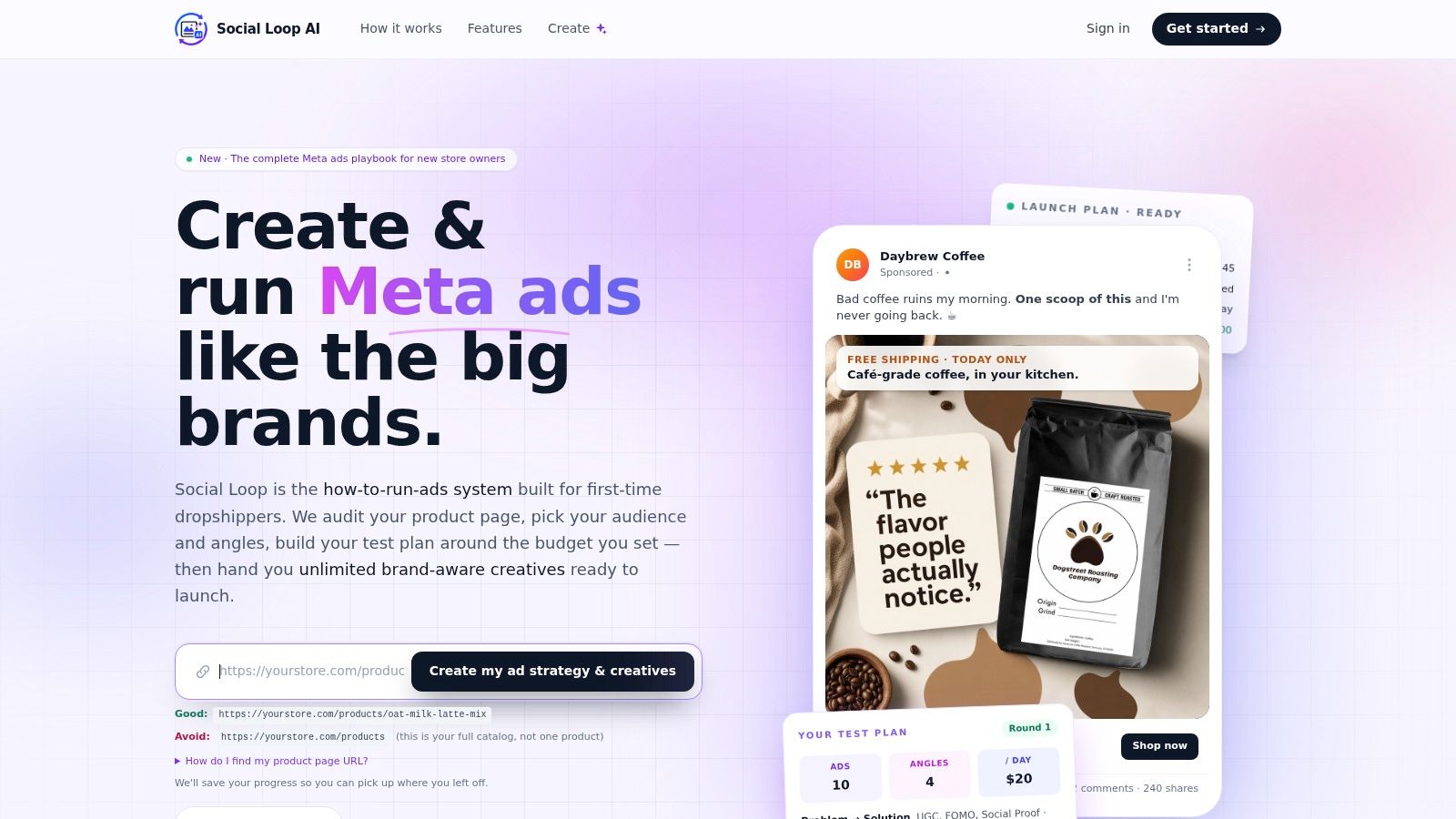
What this workflow looks like in practice
A tool built for this stage should do more than store a plan. It should help create one.
That means taking the product page and turning it into a working launch system:
- Audit the landing page so the founder can spot weak copy, unclear positioning, or missing trust signals.
- Define the buyer profile in plain language, not abstract persona jargon.
- Recommend angles that fit the product, such as problem awareness, social proof, identity, or urgency.
- Generate creative directions that align with those angles.
- Turn budget into a test plan so the founder knows what to launch first and what to compare.
That's the kind of workflow beginners need. It reduces the blank-page problem that slows down almost every first campaign.
Most software still fails to answer a very practical question: how do you turn a product URL into a batch of brand-aware creatives? New tools are emerging that generate dozens of ads trained on insights from 19,000+ winning campaigns, filling a gap for dropshippers who can't afford an agency, according to MapBusinessOnline's discussion of underserved markets.
You can also see how this idea extends beyond paid ads in Social Loop AI's workflow for social post creation from the same planning logic.
Why this matters for a first campaign
A new founder doesn't need more tabs open. They need a path.
Modern marketing plans software's value isn't that it makes everything automatic. It's that it shortens the distance between “my product page is done” and “my first campaign is ready to launch with a reason behind it.”
That's especially important for dropshippers and small ecommerce brands because their first budget is usually the most fragile. Every bad test feels bigger. Every unclear message costs more. Every weak page punishes paid traffic immediately.
When software can act like a strategist, designer, and copy helper in one guided workflow, beginners get something rare. They get structure before they spend.
If you want a tool built specifically for that jump from product page to first campaign, Social Loop AI is worth a look. It helps new ecommerce owners turn a product URL into a clear launch plan, brand-aware creatives, and a practical testing workflow without hiring an agency.